
Choosing between a Fingerprint and PIN code smart lock is not simply a question of which technology is more secure. Fingerprint access offers fast, keyless entry for registered users, while a PIN can be easier to share with family members, guests and service providers.
In this guide, we compare fingerprint and PIN smart locks across security, reliability, privacy, convenience and emergency access, including practical considerations for homes in India, the UK and the US. If you are new to smart locks, see our complete smart lock guide for an overview of smart-lock types, features and important considerations.
Quick Answer
Fingerprint and PIN code smart locks are both useful, but neither is automatically more secure. Fingerprint access is convenient for personal use, while PIN codes are usually more practical for guests, family members and temporary access.
For maximum flexibility, a lock that supports both fingerprint and PIN access, along with reliable emergency or mechanical access, can be a practical choice.
Fingerprint and PIN Code Smart Lock: Which Is Better?
There is no universal winner between fingerprint and PIN authentication. The better option depends on who needs access, how often the lock is used, environmental conditions, privacy preferences and whether access needs to be shared with other people.
Why Fingerprint and PIN Code Smart Lock Can Be Better Together
If a Fingerprint and PIN code smart lock supports both authentication methods, users do not necessarily have to choose one. Fingerprint access can provide fast personal entry, while a PIN can be useful for guests, family members, service workers or temporary access.
Fingerprint access may be convenient for regular users because there is no PIN to remember or physical key to carry. A PIN, however, can be easier to change or share when access needs to be given to someone temporarily.
When Fingerprint May Be the Better Choice
- You want quick keyless access for regular users.
- You do not want to remember or carry a PIN.
- The users’ fingerprints are consistently recognized by the sensor.
- The lock provides a reliable alternative access method.
When PIN May Be the Better Choice
- You frequently need to provide access to guests or service workers.
- You need temporary or scheduled access codes.
- Fingerprint recognition may be unreliable because of wet, dirty or worn fingers.
- You prefer an authentication method that can be changed without re-enrolling a biometric credential.
Key Takeaway: For many homes, the most flexible setup is not choosing between fingerprint and PIN. A lock that provides both authentication methods plus reliable emergency or mechanical access can cover different users and situations.
How a Fingerprint and PIN Code Smart Lock Works
How Fingerprint Authentication Works
A fingerprint and PIN code smart lock can use a biometric sensor to capture and compare an enrolled fingerprint. If the system recognizes an authorized fingerprint, it allows the locking mechanism to release.
Fingerprint access can make everyday entry convenient because users do not need to remember a PIN or carry a physical key. However, recognition performance can vary with sensor quality, finger condition, dirt, moisture and how the fingerprint was enrolled.
How PIN Code Authentication Works
The same Fingerprint and PIN code smart lock may also use a keypad or touchscreen to verify a user-entered PIN. Depending on the model, it may support multiple user PINs, temporary codes, scheduled access and failed-attempt protection.
PIN access is particularly useful when access needs to be shared without enrolling another person’s fingerprint. However, users should avoid predictable codes and should not share permanent PINs unnecessarily.
Authentication determines who can unlock the smart lock, while connectivity determines how the lock communicates with smartphones, networks and smart-home systems. For a detailed comparison of these connectivity technologies, see our Wi-Fi vs Bluetooth vs Matter Smart Locks guide.
Note: Fingerprint and PIN authentication provide different ways to authorize access. A Fingerprint and PIN code smart lock can combine both methods, giving users more flexibility for personal, shared and temporary access.
Fingerprint vs PIN: Security Comparison
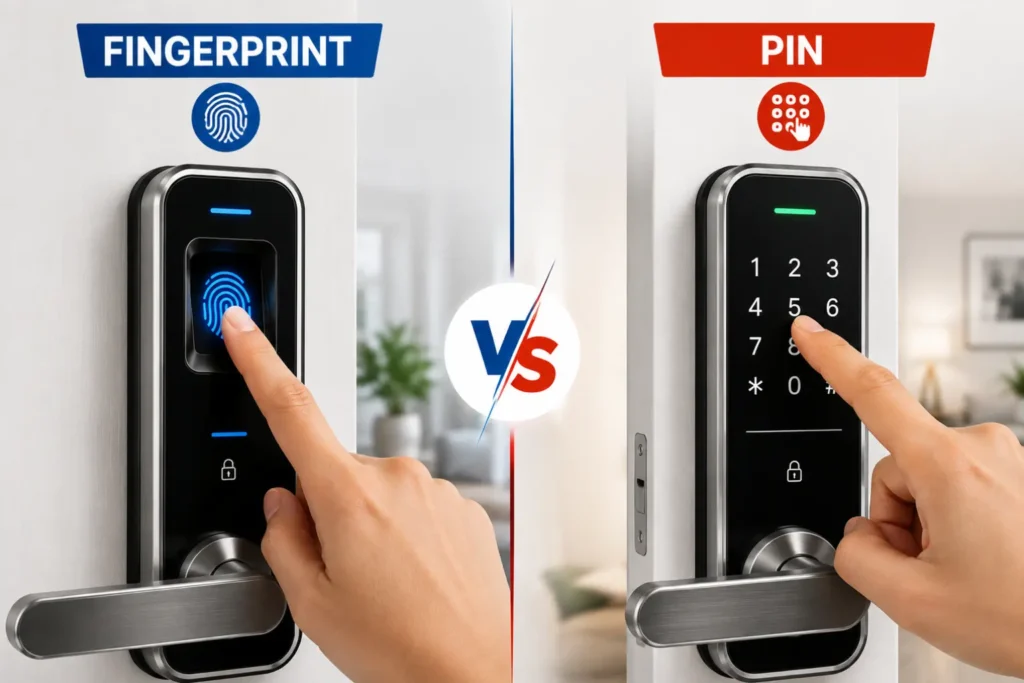
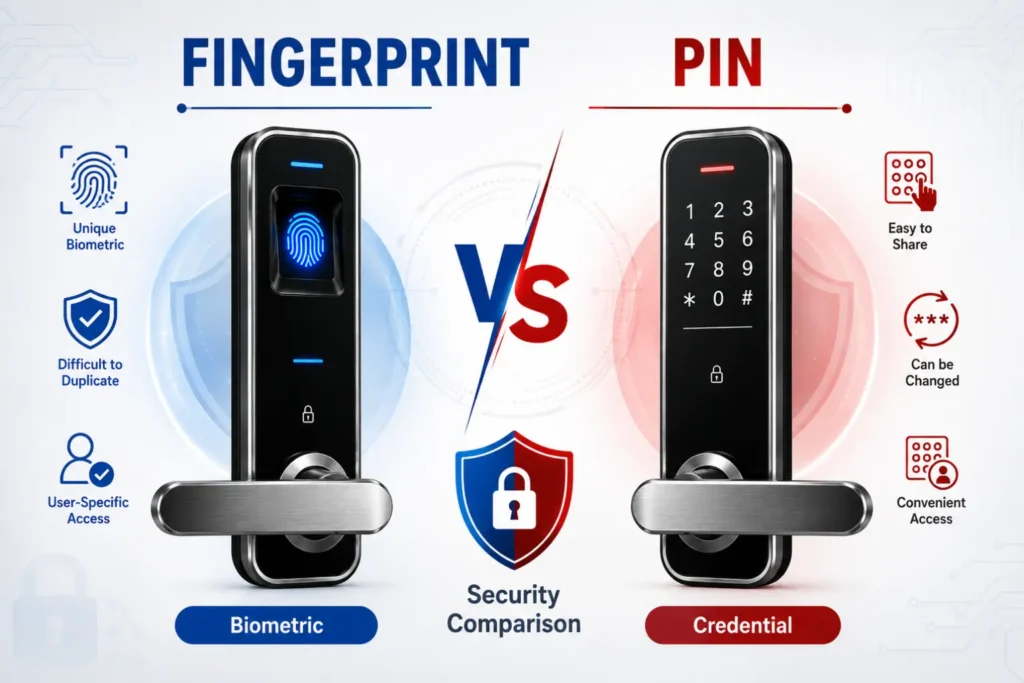
A Fingerprint and PIN code smart lock can provide secure keyless access, but fingerprint and PIN authentication have different security characteristics. Neither method is automatically more secure in every situation.
Fingerprint Smart Lock Security
Fingerprint authentication links access to a registered biometric credential, so users do not normally need to remember or share a code. This can reduce the risk of someone learning a PIN through observation or casual sharing.
However, fingerprint recognition depends on the quality and implementation of the sensor. Wet, dirty, damaged or worn fingers may affect recognition, while the security of the biometric system also depends on how the fingerprint credential is stored and protected.
Fingerprint sensors also carry a spoofing risk that varies by build quality. On lower-cost sensors, a lifted or fabricated fingerprint has sometimes been used to bypass recognition, though this requires deliberate effort, physical access to a usable print and specific tools — it is not an everyday risk in the way a shared or observed PIN can be. Better sensors reduce this risk through liveness detection and higher-fidelity matching, which is one reason sensor quality matters as much as the presence of fingerprint authentication itself.
PIN Smart Lock Security
PIN authentication can provide strong access control when users choose unique codes and protect them from disclosure. Many smart locks can also support temporary PINs, multiple user codes and failed-attempt protection, making PINs practical for controlled shared access.
The main risks are different from biometric authentication. A PIN may be exposed through shoulder surfing, sharing, predictable codes or poor credential management. Temporary PINs can reduce some of these risks by allowing access to be granted without revealing a permanent personal credential.
Fingerprint vs PIN: Which Is More Secure?
There is no universal winner. A fingerprint can be more convenient for personal access, while a PIN can be easier to manage for guests and temporary users. The overall security of a Fingerprint and PIN code smart lock also depends on the physical locking mechanism, authentication controls, software security, installation and user behaviour.
For a broader explanation of smart lock hacking risks, privacy, authentication, physical security and how these security layers work together, see our Are Smart Locks Safe? Hacking, Privacy & Security Explained guide.
When evaluating a connected smart lock, consider whether the manufacturer provides appropriate security controls, credential protection and ongoing security support. The NIST consumer IoT cybersecurity guidance provides a useful framework for understanding cybersecurity considerations in connected consumer products.
Note: Do not judge a smart lock’s security only by whether it uses fingerprint or PIN authentication. The complete security system—including the lock mechanism, door, frame, installation and access controls—matters.
Fingerprint and PIN Code Smart Lock: Real-World Reliability
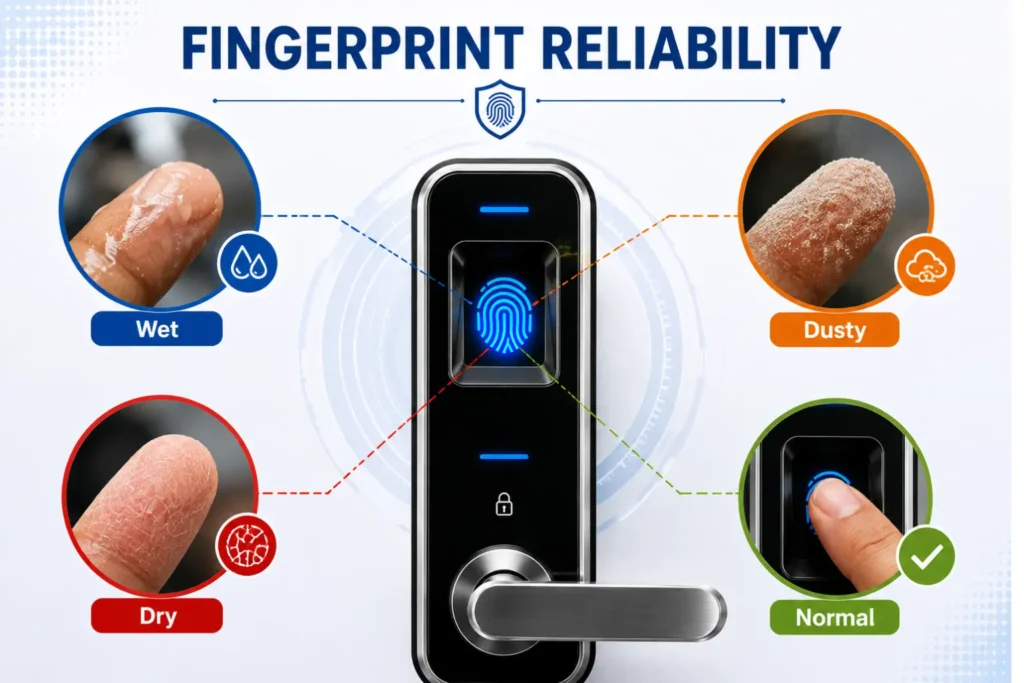
The reliability of a Fingerprint and PIN code smart lock depends on the quality of the sensor, the user’s finger condition and the environment in which the lock is installed. Fingerprint authentication can be affected by conditions that generally do not affect PIN entry, and these conditions vary by climate and season.
Wet or Sweaty Fingers
Water or sweat on the finger can sometimes make fingerprint recognition less consistent. This is particularly relevant during India’s monsoon months and in humid coastal cities, as well as in summer heat when hands sweat more, or simply after washing hands or cooking. UK and US users are less likely to face monsoon-specific moisture but may still notice it after rain, exercise or handwashing. Sensor quality and proper fingerprint enrollment can improve reliability, but recognition may still vary between users and products — lower-cost sensors tend to misread more often and need more attempts than well-made ones.
Dust and Dirty Fingers
Dust, dirt or residue on the finger or sensor can interfere with biometric recognition. This may be more noticeable on doors exposed to outdoor conditions or after cooking, gardening or handling vehicles. Keeping the sensor clean and following the manufacturer’s maintenance instructions can help maintain consistent operation.
Dry, Cracked or Worn Fingers
Very dry skin, cuts, cracks or changes to the fingerprint surface can sometimes make recognition more difficult. This is more common in dry winter conditions or for people whose work involves manual labour, frequent handwashing or chemical exposure. Users whose fingerprints are less consistently recognized may benefit from having a PIN as an alternative authentication method, and enrolling more than one finger per person can reduce the chance of a lockout if one finger is temporarily affected.
Fingerprint Recognition for Elderly Users
Some older users may experience less consistent fingerprint recognition because of changes in skin condition or less distinct fingerprint patterns. Before relying exclusively on biometric access, test the lock with the actual users and confirm that a reliable alternative access method is available.
If fingerprint access suddenly stops working, check the sensor, fingerprint enrollment, battery condition and other access methods before assuming the lock has failed. For a step-by-step diagnostic process, see our smart lock troubleshooting guide.
When PIN Access May Be More Reliable
PIN entry does not depend on the physical condition of a user’s finger. It can therefore be a practical alternative when fingerprint recognition is inconsistent because of moisture, dirt, dry skin or worn fingerprints — conditions that are common across all three regions but especially frequent during India’s monsoon and summer months.
Note: Fingerprint performance varies between products and users. If biometric access is important for your household, test the sensor under real-world conditions — including wet or dirty hands — and keep a reliable alternative access method available.
PIN Codes: Where They Work Better
PIN access can be particularly practical when a smart lock needs to provide entry to multiple people, guests or temporary users. Unlike fingerprint enrollment, a PIN can usually be created, changed or removed without registering another person’s biometric credential.
Family and Guest Access
A PIN can be useful when family members or occasional guests need independent access. Depending on the lock, each user may have a separate code, making it easier to manage access without distributing physical keys.
Maids, Cleaners and Service Workers
For household staff, cleaners, plumbers or other service providers, a PIN can be more practical than enrolling a fingerprint. Access can be provided without collecting biometric information, and some locks allow the code to be changed or removed after the service is completed.
Delivery and Temporary Access
Some smart locks support temporary credentials that can be shared for a limited period. This can be useful when someone needs access only for a specific visit rather than becoming a permanent authorized user.
Temporary or Scheduled PINs
Depending on the model, temporary or scheduled PINs can limit when a credential is valid. This provides greater control than simply sharing a permanent access code, although the exact features vary between manufacturers and products.
Key Takeaway: PIN access is often more practical when access needs to be shared, temporary or frequently changed. Always use unique codes and remove or change temporary credentials when they are no longer needed.
Privacy: Fingerprint vs PIN
Privacy is an important consideration when comparing a Fingerprint and PIN code smart lock. A PIN is generally a user-created credential, while a fingerprint is biometric information associated with an individual. The way a smart-lock manufacturer collects, stores, processes and protects this information can therefore matter when choosing a product.
Is Fingerprint Data Sensitive?
A fingerprint used for authentication is different from an ordinary PIN because it is a biometric characteristic linked to a person. In India, buyers should understand how biometric information is handled under the applicable personal-data protection framework. The Digital Personal Data Protection Act, 2023 provides India’s framework for processing digital personal data.
Where Is Fingerprint Data Stored?
Do not assume that every fingerprint smart lock stores biometric information in the same way. Depending on the product, authentication data may be processed or stored locally on the device, within a dedicated security component, or through a connected service. Always check the manufacturer’s privacy and security documentation before purchasing.
On-Device vs Cloud Storage
Local processing can reduce the need to transmit biometric information to a remote service, while cloud-connected systems may provide additional management features. Neither approach should automatically be considered secure or insecure. The important questions are what data is collected, where it is stored, how it is protected, who can access it and how long it is retained.
What Happens If Biometric Data Is Compromised?
A PIN can normally be changed if it is exposed. A fingerprint is different because a person’s biometric characteristic cannot simply be replaced like a password. This makes the manufacturer’s biometric-data protection and credential-management practices important factors when evaluating a fingerprint-enabled smart lock.
What Should You Check Before Buying?
- Where fingerprint credentials are stored and processed.
- Whether biometric data is transmitted to a cloud service.
- What information the manufacturer’s app collects.
- How user credentials can be deleted or reset.
- Whether the manufacturer provides clear privacy and security documentation.
UK users should also consider applicable data-protection requirements when biometric recognition is used to uniquely identify individuals. The UK Information Commissioner’s Office guidance on biometric recognition explains relevant considerations for organisations processing biometric data.
Note: Before buying a fingerprint-enabled smart lock, do not rely only on the product’s security claims. Check the manufacturer’s privacy policy, biometric-data handling, storage method and credential-management controls.
Emergency Egress: The Feature You Should Never Ignore
A Fingerprint and PIN code smart lock should provide secure access without creating an unnecessary obstacle to safe exit. Fingerprint and PIN are authentication methods for controlling access, but they should not be treated as the only way an occupant can leave a door during an emergency.
What Happens When the Battery Dies?
A smart lock may continue to provide mechanical operation from the inside even when its batteries are depleted, but the exact behaviour depends on the lock design. Before purchasing, understand how the lock operates during low-battery, complete battery failure or electronic malfunction.
Do not assume that an external emergency-power feature also provides emergency egress from the inside. These are separate functions and should be evaluated independently.
Can You Exit Without a Fingerprint or PIN?
For an escape-route door, occupants should understand how the door can be opened from the inside without depending on a fingerprint, PIN, smartphone, network connection or battery-powered authentication system. The exact requirement depends on the door, occupancy, building type and applicable local safety requirements.
Mechanical or Emergency Release
Depending on the lock design, inside operation may use a thumb-turn, lever, mechanical release or another dedicated mechanism. Check the manufacturer’s documentation and test the actual installed lock so that occupants understand the normal and emergency operation.
A backup key may also be useful where the product provides one, but it should not be assumed that a key-based solution is appropriate for every emergency-exit application.
Why Escape-Route Doors Need Extra Care
A door used as part of an escape route has different safety considerations from a normal internal or private access door. The locking arrangement should be evaluated for reliable egress, including situations involving power failure, electronic malfunction or emergency evacuation.
For additional technical context on access-controlled locking and emergency egress, see UL Solutions’ guidance on locking configurations for access and egress control.
Key Takeaway: A smart lock should never be evaluated only by how securely it prevents entry. For an escape-route door, safe, reliable and understandable emergency egress must remain a priority.
Fingerprint vs PIN: Everyday Convenience
The practical difference between fingerprint and PIN access becomes clearer in everyday use. A Fingerprint and PIN code smart lock can offer both options, but each authentication method is better suited to different access situations.
| Factor | Fingerprint | PIN |
|---|---|---|
| Personal access | Very convenient | Very convenient |
| Shared access | Less convenient | Very convenient |
| Temporary access | Depends on the model | Usually more practical |
| Wet fingers | May affect recognition | Not affected |
| Forgotten credential | Not normally applicable | Possible |
| Enrollment | Fingerprint enrollment required | PIN creation required |
| Privacy considerations | Biometric data involved | Credential-based |
Access-management considerations are also important when comparing a smart lock vs traditional lock, because smart locks can provide multiple authentication methods and user-management features that traditional mechanical locks generally do not.
Key Takeaway: Fingerprint access is often most convenient for regular users, while PIN access can be more flexible for shared and temporary entry.
Fingerprint vs PIN: Which Is Better for Different Users?
The better authentication method depends on who uses the door and how access is managed. A Fingerprint and PIN code smart lock can be especially useful when different users have different access requirements.
| Situation | Practical Choice | Why |
|---|---|---|
| Main resident | Fingerprint + PIN | Convenient personal access with an alternative credential |
| Family members | Fingerprint + PIN | Different users can have suitable access methods |
| Guest | PIN | Easier to provide temporary access without fingerprint enrollment |
| Maid or service worker | PIN | Access can be provided without registering biometric data |
| Rental property | PIN | Temporary or changeable credentials can simplify access management |
| Frequently wet or dirty hands | PIN may be more practical | PIN entry is not affected by fingerprint recognition conditions |
| Personal convenience | Fingerprint | Fast access without remembering a code |
| Shared access | PIN | Codes can be created, changed or removed more easily |
These are practical tendencies rather than universal rules. The right choice also depends on the lock’s sensor quality, PIN-management features, privacy controls, door configuration and the needs of the people using it.
Fingerprint and PIN Code Smart Lock: Installation and Compatibility
Authentication method चुनने से पहले यह देखना जरूरी है कि Fingerprint and PIN code smart lock आपके existing door और lock mechanism के साथ compatible है या नहीं। Fingerprint sensor और keypad की सुविधा तभी उपयोगी है जब lock सही तरह से fitted और aligned हो।
Existing Lock Compatibility
Smart locks अलग-अलग door and lock configurations के लिए बनाए जाते हैं। खरीदने से पहले existing mortise, deadbolt, rim or other locking mechanism, door dimensions और manufacturer की compatibility requirements को check करें।
Door and Sensor Placement
Fingerprint sensor और keypad ऐसी जगह positioned होने चाहिए जहाँ authorized users आसानी से उन्हें operate कर सकें। Outdoor-facing installations में weather exposure, moisture, dust और physical protection को भी ध्यान में रखें।
Emergency Access
Installation के बाद केवल fingerprint और PIN से unlocking test न करें। यह भी verify करें कि low battery, electronic failure और emergency situations में lock कैसे operate करता है और अंदर से door कैसे खोला जाता है।
Detailed fitting, compatibility checks और installation considerations के लिए हमारी smart lock installation guide देखें।
Note: Never modify or drill a door based only on a generic diagram. Always confirm the exact lock compatibility and installation requirements for the specific model.
What to Look for in a Fingerprint and PIN Code Smart Lock
If you want both authentication methods in one product, focus on the features that directly affect fingerprint reliability, PIN security and emergency access. A long feature list does not necessarily mean a better lock.
Fingerprint Sensor Quality
Check how the manufacturer describes the fingerprint sensor and authentication performance. Look for clear information about recognition reliability, enrollment capacity and sensor placement, rather than choosing a product only because it has biometric access.
PIN Security and Failed-Attempt Lockout
A good PIN system should provide appropriate protection against repeated incorrect attempts. Features such as failed-attempt lockout, privacy modes or anti-peep keypad features can make PIN authentication more practical and secure, depending on the product.
Temporary PIN Support
If you regularly provide access to guests, cleaners or service providers, check whether the lock supports temporary, scheduled or individually managed PINs. This can reduce the need to share a permanent access code.
Mechanical or Emergency Override
Authentication features should not be evaluated separately from emergency access. Check whether the lock provides a reliable mechanical or documented emergency access method and understand how the door operates when the battery or electronics fail.
Tip: When comparing a Fingerprint and PIN code smart lock, prioritize the quality of the authentication system and emergency access rather than simply counting features.
Fingerprint and PIN Smart Locks: India, UK and US Considerations
The practical experience of a Fingerprint and PIN code smart lock can vary by market because door hardware, climate, installation practices and household access patterns are different. The authentication technology may be similar, but the surrounding conditions can affect which option is more practical.
India
Indian homes can have a wide range of door and lock configurations, including mortise and rim locks on wooden, flush, metal, aluminium and uPVC doors. Humidity, monsoon conditions, dust and frequent shared household access can also influence the practical choice between fingerprint and PIN authentication.
For households where several people such as family members, domestic workers or service providers need different levels of access, PIN management can be particularly useful. Fingerprint access can remain convenient for regular users when the sensor consistently recognizes their fingerprints.
UK
UK homes may use uPVC and composite doors, multipoint locking systems, euro cylinders and mortice locks. Before choosing a fingerprint or PIN smart lock, confirm compatibility with the existing locking mechanism and consider the effects of damp or cold conditions where the lock is exposed to the weather.
Where biometric information is processed to uniquely identify individuals, privacy and data-protection considerations may also apply. Buyers should review the manufacturer’s privacy information and understand how biometric credentials are handled.
US
US residential doors commonly use deadbolts and keyed entry hardware. Compatibility with the existing lock, door dimensions and installation requirements should therefore be checked before choosing a fingerprint or PIN smart lock.
US buyers may also consider integration with their existing smart-home ecosystem and the security controls provided by the manufacturer. Fingerprint and PIN features should be evaluated alongside the lock’s physical security and overall installation.
Note: Regional differences do not make one authentication method universally better. Always evaluate the door, environment, users, privacy requirements and access needs before choosing between fingerprint and PIN.
Can You Use Fingerprint and PIN Together?
Yes. Many smart locks are designed to support multiple authentication methods, allowing authorized users to use either a fingerprint or a PIN. This can make a Fingerprint and PIN code smart lock more flexible than relying on only one authentication method.
Fingerprint for Personal Access
Fingerprint authentication can be convenient for people who use the door regularly. Once an authorized fingerprint is enrolled, the user can usually unlock the door without remembering a PIN or carrying a physical key.
This makes fingerprint access suitable for regular household users, provided the sensor consistently recognizes their fingerprints under normal conditions.
PIN for Shared or Temporary Access
A PIN can complement fingerprint access when another person needs entry without being permanently enrolled as a biometric user. Depending on the lock, you may be able to create a separate, temporary or scheduled PIN for guests and service providers.
This approach can also reduce the need to collect biometric credentials from people who only need occasional access.
Mechanical Key or Emergency Access as Backup
Fingerprint and PIN should not necessarily be the only access methods you consider. Depending on the product, a mechanical key, interior thumb-turn or another documented emergency-release method may provide an additional way to operate the lock when electronic authentication or battery power is unavailable.
Before installation, understand the manufacturer’s documented emergency procedure and test the actual lock so that authorized occupants know how to operate it during a low-battery or electronic-failure situation.
Key Takeaway: Fingerprint can handle convenient personal access, while PIN can provide flexible shared or temporary access. When both are supported, using them for different situations can make the lock more versatile without relying on a single authentication method.
Final Verdict: Fingerprint vs PIN Smart Locks
Fingerprint access is generally more convenient for regular personal use, while PIN access can be more practical for shared, temporary or frequently changing access. Neither authentication method is automatically more secure in every situation.
For many homes, a Fingerprint and PIN code smart lock that combines both authentication methods with reliable emergency or mechanical access can provide the most flexible setup.
Frequently Asked Questions
Is a fingerprint more secure than a PIN on a smart lock?
Not automatically. Fingerprint and PIN authentication have different strengths and risks. Overall security also depends on the lock’s physical mechanism, authentication controls, software security, installation and how users manage access.
Can someone copy a fingerprint and unlock a smart lock?
Fingerprint systems use biometric recognition rather than simply storing an ordinary image of a fingerprint, but security depends on the sensor and implementation. Buyers should check the manufacturer’s security documentation and how biometric credentials are protected.
Can a smart lock use both fingerprint and PIN?
Yes, many models support multiple authentication methods. A Fingerprint and PIN code smart lock can allow regular users to use fingerprint access while using PINs for guests or temporary users, depending on the product.
Which is better for elderly users, fingerprint or PIN?
It depends on the individual. Fingerprint access can be convenient when recognition is consistent, while a PIN can be a useful alternative if the user’s fingerprint is not reliably recognized.
Is a PIN better for guests and service workers?
A PIN is often more practical because access can be provided without enrolling another person’s fingerprint. If supported by the lock, temporary or scheduled PINs can provide additional access control.
What happens if fingerprint recognition fails?
The exact response depends on the lock. A user may be able to retry authentication or use an alternative method such as a PIN, physical key or another supported access method. Always understand the backup procedure before relying on fingerprint access.
What happens when a smart lock battery dies?
The behaviour varies by model. Some locks provide an external emergency-power option or mechanical access, while the inside operation may use a separate mechanism. Check the manufacturer’s instructions and understand both normal and emergency operation before installation.
Can you exit a fingerprint or PIN smart lock without using the credential?
The answer depends on the lock and door configuration. For an escape-route door, verify the documented inside operation and applicable safety requirements. Do not assume that fingerprint or PIN authentication should be required for emergency egress.