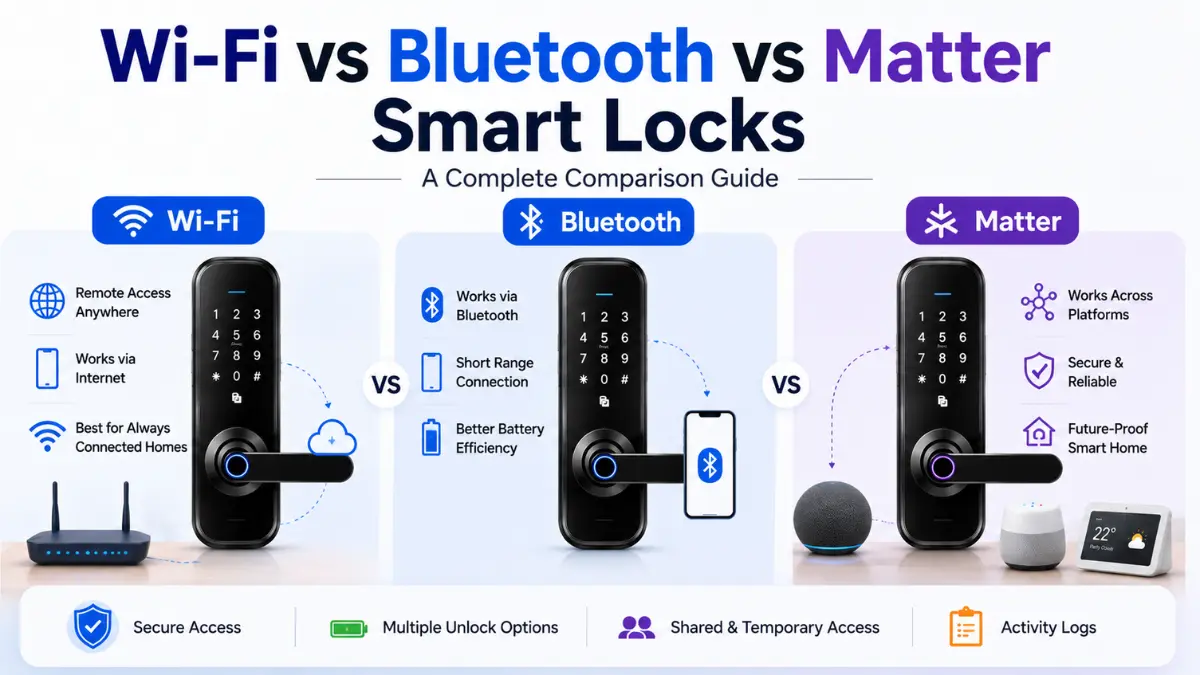
Choosing between Wi-Fi vs Bluetooth vs Matter smart locks is mainly a decision about how the lock communicates, how much remote access you need, and which smart-home ecosystem you use. Each connectivity option has different advantages and limitations.
In this guide, we compare Wi-Fi, Bluetooth and Matter smart locks across security, battery life, remote access, compatibility and everyday reliability, with practical considerations for homes in India, the UK and the US.
Quick Answer:
There is no single best option when comparing Wi-Fi vs Bluetooth vs Matter smart locks. Bluetooth is often useful for local, low-power access, Wi-Fi is more suitable when remote control is important, while Matter focuses on smart-home interoperability across supported ecosystems.
For most homes, the right choice depends on remote-access needs, battery considerations, network reliability, existing smart-home devices, and compatibility with the specific lock.
Wi-Fi vs Bluetooth vs Matter Smart Locks: Which Should You Choose?
The right choice between Wi-Fi, Bluetooth and Matter smart locks depends on how you want the lock to communicate, whether you need remote access, and which smart-home ecosystem you use.
Bluetooth can be a practical choice for local access and lower-power operation, while Wi-Fi is useful when remote control and internet-connected features are important. Matter focuses on interoperability between compatible smart-home devices and can operate over supported network technologies such as Wi-Fi or Thread.
Instead of choosing a connectivity type based only on its name, consider remote-access requirements, battery and power reliability, network conditions, smart-home compatibility and the specific requirements of the lock you plan to install.
Quick Takeaway: There is no universal winner. Choose Bluetooth for suitable local access, Wi-Fi for remote connectivity, or Matter for compatible smart-home interoperability based on your actual requirements.
For a broader overview of smart-lock technologies and features, see our smart lock guide.
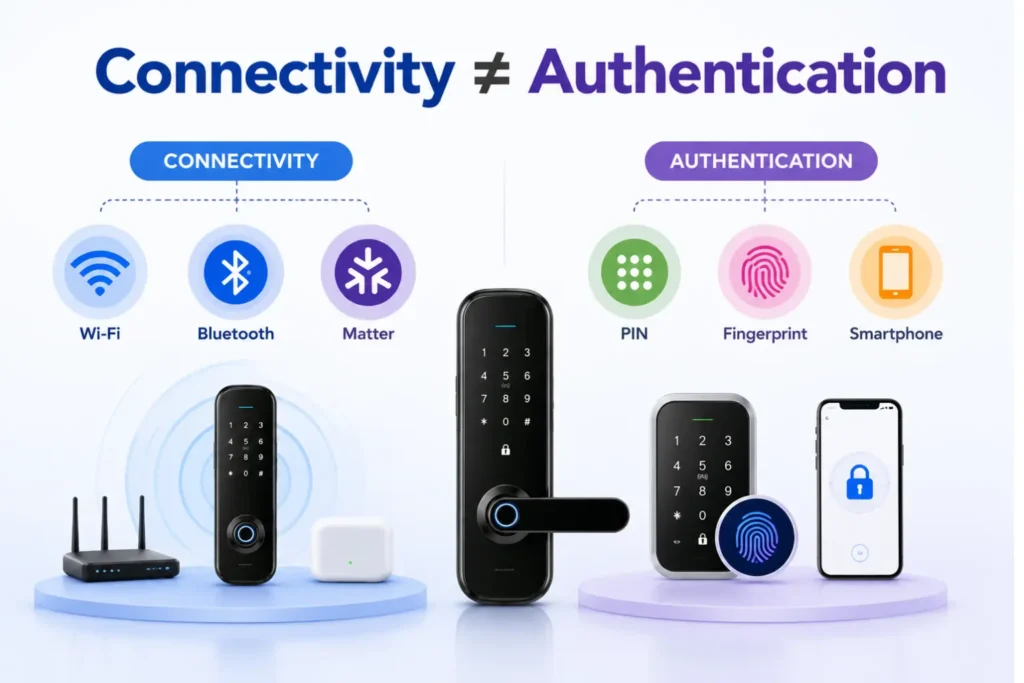
Connectivity vs Authentication: Don’t Confuse the Two
Connectivity and authentication are two different parts of a smart lock. Connectivity determines how the lock communicates with a smartphone, network, hub or smart-home ecosystem, while authentication determines how an authorized person proves they can unlock the door.
For example, a smart lock may use Wi-Fi, Bluetooth or Matter for connectivity while using a PIN, fingerprint, smartphone credential or physical key for authentication. These technologies can therefore work together rather than being direct alternatives.
If you want to understand the differences between fingerprint and PIN authentication, see our Fingerprint and PIN code smart lock guide, which compares their security, reliability, privacy and access-management considerations.
Note: A different connectivity technology does not automatically make a smart lock more or less secure. Evaluate the lock’s authentication, encryption, software security, physical design and backup access methods as well.
How Each Connectivity Type Works
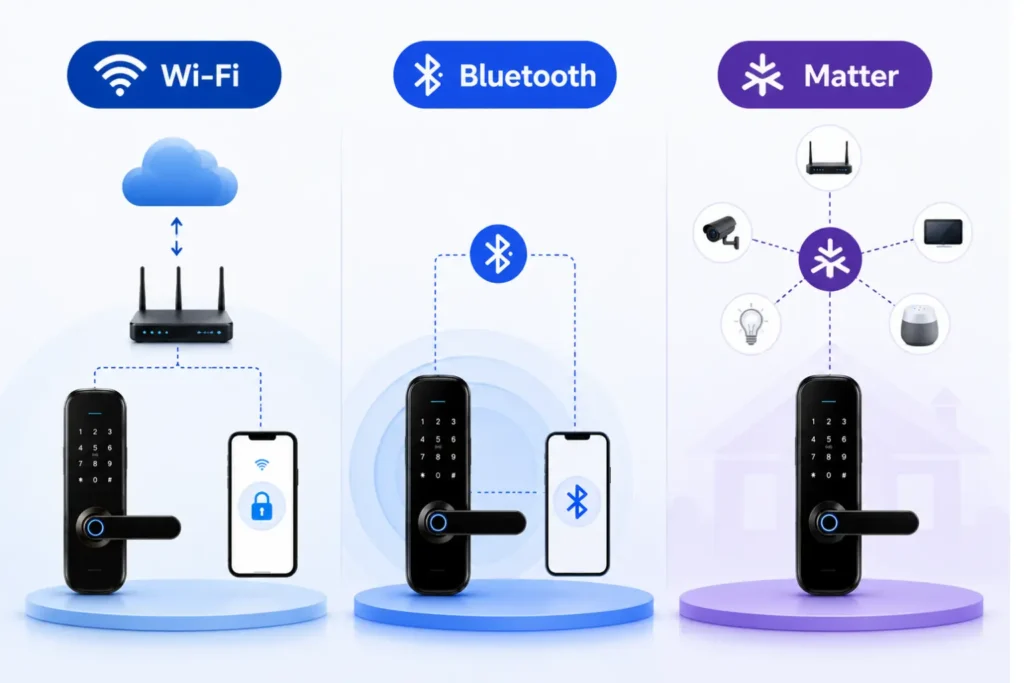
Wi-Fi, Bluetooth and Matter are not interchangeable technologies. They can serve different roles in a smart lock, and the actual capabilities depend on the lock’s hardware, software, supported ecosystem and network configuration.
Bluetooth Smart Locks
Bluetooth allows a compatible smartphone or other device to communicate with the smart lock over a short range. Because the lock can operate locally without maintaining a continuous internet connection, Bluetooth can be useful for nearby access and lower-power operation.
The main limitation is that Bluetooth alone generally does not provide the same type of direct remote access as an internet-connected Wi-Fi lock. Some products can extend Bluetooth functionality through a separate hub, bridge or compatible gateway.
Wi-Fi Smart Locks
Wi-Fi allows a compatible smart lock to connect to a home network and, depending on the product, communicate with its mobile application or cloud service. This can enable features such as remote lock or unlock, notifications and remote access management.
Because Wi-Fi connectivity can involve a network connection and additional communication activity, power consumption can differ from a lock designed primarily for local Bluetooth or Thread communication. Actual battery performance depends on the specific model, settings and usage.
Matter Smart Locks
Matter is a smart-home interoperability standard designed to help compatible devices work across supported ecosystems. Matter is not simply another wireless connection like Wi-Fi or Bluetooth; it can operate over supported network technologies, including Wi-Fi and Thread.
Bluetooth Low Energy can also be used during the commissioning or setup process. A Matter smart lock using Thread may require an appropriate Thread Border Router within the smart-home setup, while a Matter device using Wi-Fi does not automatically require a Thread Border Router.
Before buying a Matter smart lock, verify the Matter certification, supported transport, compatible smart-home platform, controller requirements and the manufacturer’s documentation for the exact model.
For official information about the Matter standard and its supported connectivity architecture, see the Matter connectivity standards information from the Connectivity Standards Alliance.
Note: Do not assume that every Matter smart lock needs a hub. The required equipment depends on whether the device uses Wi-Fi or Thread and which smart-home ecosystem and controller are being used.
Wi-Fi vs Bluetooth vs Matter Smart Locks: Full Comparison
The practical differences between Wi-Fi, Bluetooth and Matter smart locks become clearer when you compare remote access, battery considerations, internet dependency and smart-home compatibility side by side.
| Factor | Bluetooth | Wi-Fi | Matter |
|---|---|---|---|
| Primary role | Local device communication | Network and remote connectivity | Smart-home interoperability |
| Local access | Yes, where supported | Yes, where supported | Yes, depending on implementation |
| Remote access | Usually limited without additional equipment | Commonly supported, depending on the product | Depends on the Matter transport and ecosystem |
| Internet dependency | Lower for local operation | Higher for connected features | Depends on transport, controller and ecosystem |
| Battery considerations | Often suitable for low-power use | Can require more power depending on implementation | Depends on whether Wi-Fi or Thread is used |
| Hub or controller | Model-dependent | Usually not required for basic Wi-Fi connectivity | Depends on transport and smart-home setup |
| Smart-home integration | Model-dependent | Platform-dependent | Designed for supported cross-platform interoperability |
| Best suited for | Local access and lower-power use cases | Remote access and connected features | Compatible multi-platform smart-home setups |
Key Takeaway: No connectivity type wins in every category. The best option depends on whether you prioritize local access, remote control, battery efficiency, or smart-home interoperability.
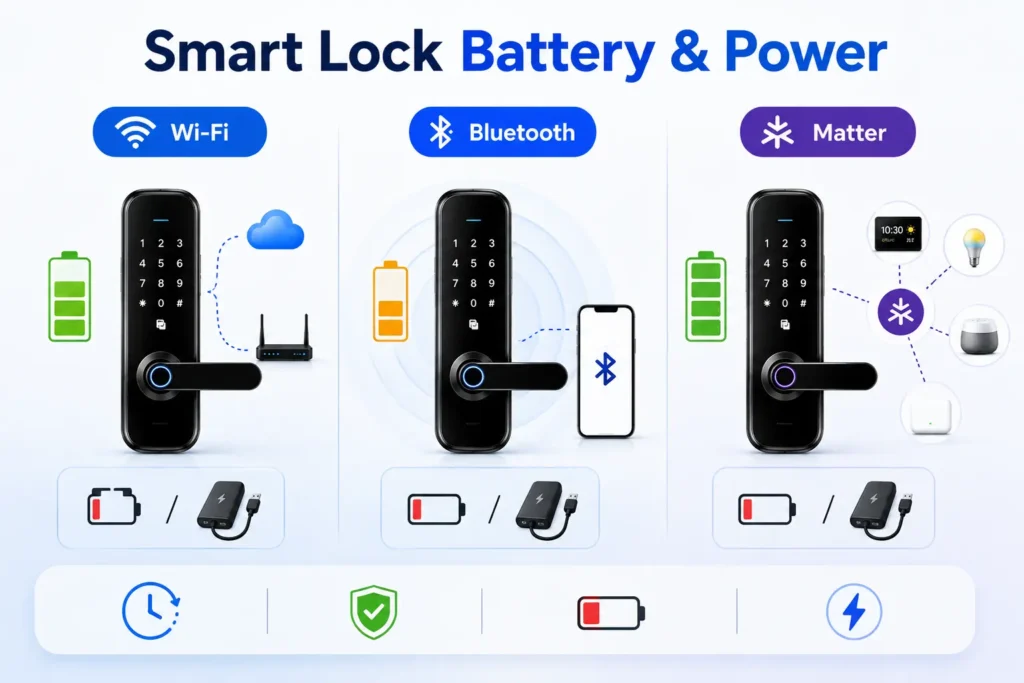
Battery Life and Power Reliability
Battery performance is an important consideration when comparing Wi-Fi, Bluetooth and Matter smart locks. However, connectivity technology alone does not determine how long a lock will operate between battery changes. Battery capacity, lock design, communication frequency, usage patterns, network conditions and enabled features can all affect power consumption.
Bluetooth and Battery Consumption
Bluetooth can be well suited to battery-powered smart locks because local communication does not necessarily require a continuous internet connection. This can make it a practical option when the main requirement is nearby smartphone access rather than constant remote connectivity.
Wi-Fi and Battery Consumption
Wi-Fi connectivity can support remote features but may require more frequent network communication. Features such as remote access, notifications and cloud-connected services can therefore influence power consumption depending on how the lock is designed and configured.
Matter, Wi-Fi and Thread Power Differences
Matter itself does not determine battery life. A Matter smart lock may use Wi-Fi or Thread, and these different implementations can have different power characteristics. For battery-powered devices, the specific model’s technical documentation is more useful than assuming that every Matter lock will have the same battery performance.
What Happens When the Battery Gets Low?
Before choosing a smart lock, check how it warns users about a low battery and what happens when the primary battery is depleted. For a detailed explanation of smart lock battery life, including low-battery warnings, battery drain and emergency access, see our dedicated guide.
Depending on the model, backup access may include a mechanical key, external emergency power connection, backup credential or another manufacturer-supported method.
Homes that experience frequent power or network interruptions should also distinguish between loss of internet connectivity and loss of battery power. A smart lock may continue to support some local functions when the internet is unavailable, while a completely depleted battery can require a separate backup procedure. If you are troubleshooting a lock that is not responding, losing power unexpectedly or showing other battery-related symptoms, see our smart lock troubleshooting guide for a systematic diagnostic process.
Note: Do not choose a smart lock based only on a quoted battery-life figure. Check the manufacturer’s stated battery rating, usage conditions, low-battery warning, backup access method and the features you actually plan to use.
Wi-Fi vs Bluetooth vs Matter Smart Locks: Security Comparison
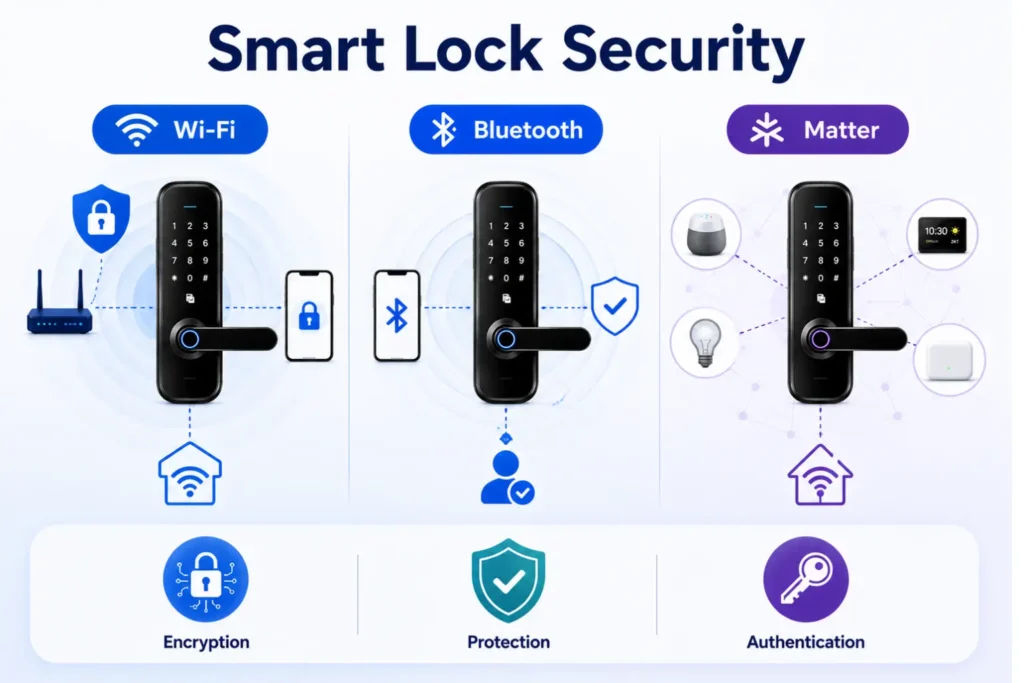
Security should not be judged by connectivity type alone. Wi-Fi, Bluetooth and Matter smart locks can all provide secure communication when they are properly implemented, but each technology has different security considerations.
Wi-Fi vs Bluetooth vs Matter Smart Locks: What Affects Security?
The overall security of a smart lock depends on more than its wireless connection. Consider the lock’s authentication method, encryption, firmware security, account protection, physical construction, software updates and how access credentials are managed.
Bluetooth Smart Lock Security
Bluetooth smart locks use short-range wireless communication, but short range does not automatically mean that the connection is immune to attacks. Depending on the implementation, attackers may attempt techniques such as relay attacks or exploit weaknesses in pairing, authentication or the lock’s software.
A well-designed Bluetooth lock should therefore use appropriate authentication and encryption rather than relying on proximity alone as its security mechanism.
Wi-Fi Smart Lock Security
Wi-Fi smart locks can provide useful remote-access features, but they also become part of the home’s connected network. Security therefore depends on factors such as Wi-Fi network protection, router configuration, account security, firmware updates and the manufacturer’s cloud or application infrastructure.
Using strong network credentials, keeping supported devices updated and securing the associated smart-home account can reduce avoidable security risks.
Matter Smart Lock Security
Matter is designed to provide a common security and interoperability framework for compatible smart-home devices. However, using Matter does not remove the need to evaluate the individual product’s implementation, authentication, software updates and ecosystem configuration.
Matter’s security features should therefore be considered alongside the security of the smart lock, controller, smartphone and wider smart-home environment.
Which Connectivity Is Safer?
There is no universal answer that makes Wi-Fi, Bluetooth or Matter automatically the safest choice. A properly implemented system can be secure across different connectivity technologies, while weaknesses in the lock’s software, authentication or configuration can create risks regardless of the protocol being used.
For a broader explanation of smart lock hacking risks, privacy, authentication, physical security and how these security layers work together, see our Are Smart Locks Safe? Hacking, Privacy & Security Explained guide.
For broader guidance on cybersecurity considerations for consumer IoT products, see NIST consumer IoT cybersecurity guidance .
Key Takeaway: Do not choose a smart lock simply because it uses Wi-Fi, Bluetooth or Matter. Look at the complete security system, including authentication, encryption, updates, account protection and physical security.
Remote Access and Shared/Temporary Access
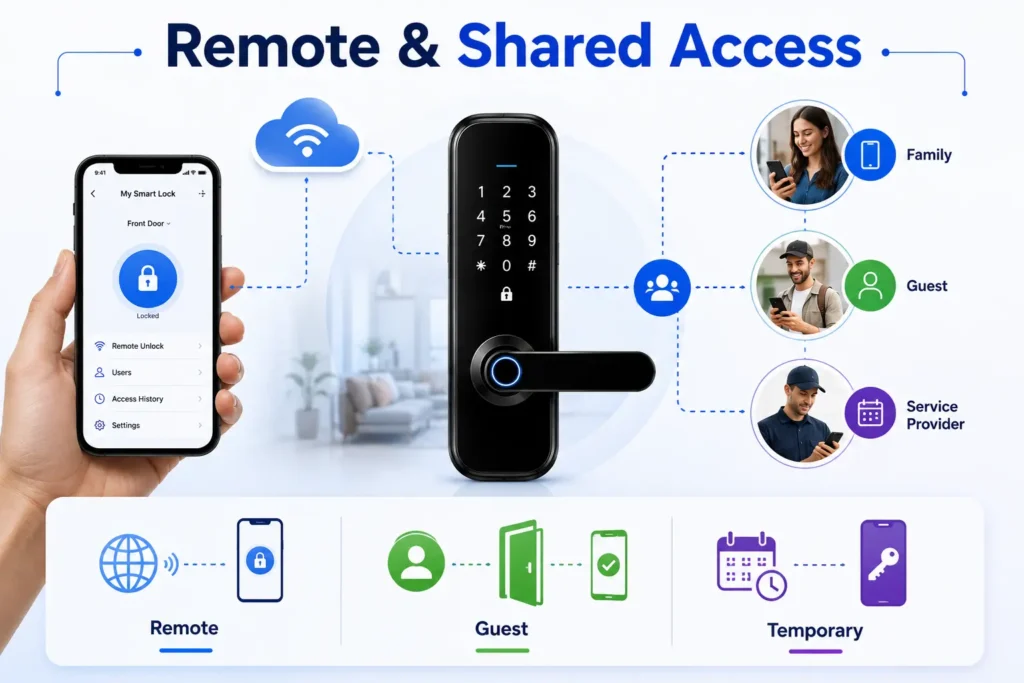
Connectivity becomes especially important when a smart lock needs to be managed while you are away from home or when access must be provided to other people. The practical capabilities depend on the lock’s connectivity, app, ecosystem and access-management features.
Remote Access With Wi-Fi Smart Locks
Wi-Fi-connected smart locks can support remote functions such as checking lock status, locking or unlocking the door, and managing supported access credentials through an application. These features can be useful when you need to provide access while you are away from the property.
Remote access may depend on the home internet connection, router, mobile application, cloud service and the manufacturer’s systems. A network or service outage can therefore affect some remote functions even when the physical lock itself remains operational.
Bluetooth for Local Access
Bluetooth can be practical when the person unlocking the door is physically near the lock. Because the connection can operate locally, it may be useful for everyday smartphone-based access without requiring the same type of continuous remote connectivity used by an internet-connected lock.
If remote access is important, check whether the specific Bluetooth lock supports a compatible hub, bridge or gateway. Do not assume that Bluetooth connectivity by itself provides remote access from outside the home.
Matter for Shared Smart-Home Access
Matter can help compatible smart-home devices work with supported ecosystems, but the available access-management features still depend on the specific lock and platform. Matter compatibility should therefore not be confused with a guarantee of temporary PINs, guest management or remote unlocking.
Shared and Temporary Access
If family members, guests, cleaners, maintenance workers or other service providers need access, look for features such as individual credentials, temporary access, scheduled permissions, expiry controls and the ability to revoke access when it is no longer needed.
Connectivity determines how the lock communicates, but access-management features determine how credentials are created and controlled. These digital access options are also an important difference when comparing a smart lock vs traditional lock.
Before buying, verify both connectivity and access-management features separately rather than assuming that a particular connectivity technology includes every access feature you need.
Tip: If you regularly provide access to guests or service providers, prioritize temporary credentials, expiry and revocation controls in addition to choosing the right connectivity type.
Emergency Egress: A Quick Note on Power Loss
Connectivity and emergency egress are separate considerations when choosing a smart lock. A loss of Wi-Fi, Bluetooth communication or internet connectivity does not necessarily mean that the door cannot be operated, but a completely depleted battery can affect electronic unlocking depending on the lock’s design.
For this reason, check how the specific lock provides authorized backup access during a battery or electronic failure. Depending on the model, this may include a mechanical key, external emergency power connection or another manufacturer-supported method.
For doors that form part of an escape route, do not assume that the connectivity technology determines whether occupants can exit safely. The door hardware, locking arrangement and inside release mechanism are separate considerations and should be evaluated according to the applicable requirements for the building and location.
Note: Before relying on a smart lock, understand both its electronic connectivity and its backup access procedure. Never assume that a Wi-Fi, Bluetooth or Matter connection alone determines emergency egress.
Hub, Bridge and the Real Cost of Ownership
The purchase price of a smart lock is only one part of its overall ownership cost. Depending on the connectivity technology and model, you may also need to consider additional hardware, subscriptions, batteries, maintenance and compatibility requirements.
When a Hub or Bridge May Be Needed
Some smart locks can connect directly to a home network, while others may require a hub, bridge or gateway for certain functions. This is particularly important when a lock uses Bluetooth for local communication but offers remote access through additional equipment.
Matter-based setups can also have different requirements depending on whether the lock communicates using Wi-Fi or Thread and which smart-home ecosystem is being used. A Thread-based Matter device may require a compatible Thread Border Router, while a Wi-Fi-based Matter device does not automatically require one.
Before choosing the connectivity setup, also check the door, hardware and installation requirements in our smart lock installation guide.
Hardware and Subscription Costs
Additional costs can come from optional or required hardware such as a hub or bridge, as well as from cloud-based services or premium features offered by some manufacturers. These costs vary significantly between models and ecosystems.
Before purchasing, check whether the features you need require additional hardware, a paid subscription, or a specific smart-home controller.
Battery Replacement and Maintenance
Battery-powered smart locks require periodic battery replacement or charging, depending on the design. Actual replacement frequency depends on the lock, connectivity method, usage, settings and environmental conditions.
Also consider routine maintenance such as checking the mechanical operation, keeping the lock properly aligned and ensuring that backup access methods remain available.
Note: Do not compare smart-lock ownership costs using a single estimated figure. Verify the current price, required accessories, subscription terms, battery requirements and maintenance needs for the exact model before buying.
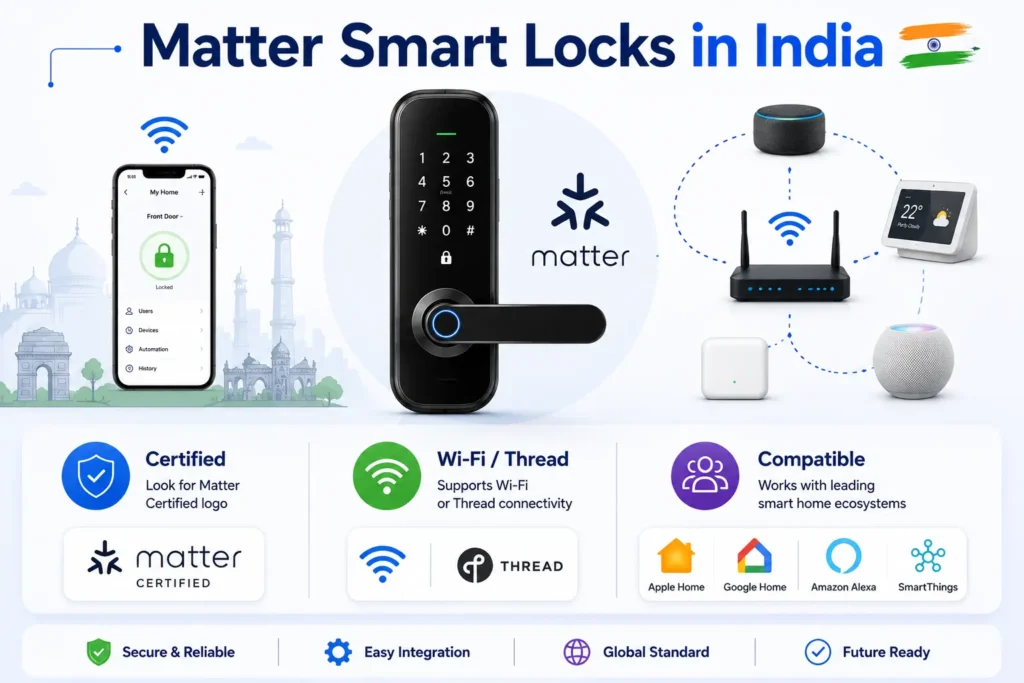
Matter Smart Locks in India: What Should You Verify?
Matter support is an important consideration for buyers who want a smart lock to work with a broader smart-home ecosystem. However, the presence of a Matter logo or a product description alone should not be treated as enough information to determine whether a particular lock will work with your existing setup.
Check Matter Certification
Before buying, verify that the exact smart-lock model is supported or certified for Matter rather than relying only on a brand-level statement. Certification and supported features can differ between models and product versions.
Check Wi-Fi or Thread Support
Matter does not mean that every compatible lock uses the same wireless technology. Check whether the specific lock uses Wi-Fi or Thread, because this can affect the network equipment and smart-home setup required.
Check Controller and Border Router Requirements
A Thread-based Matter smart lock may require a compatible Thread Border Router as part of the smart-home setup. A Wi-Fi-based Matter lock does not automatically require a Thread Border Router, so confirm the manufacturer’s requirements before purchasing additional equipment.
Verify Manufacturer Documentation
Check the manufacturer’s current documentation for Matter support, supported ecosystems, connectivity method, controller requirements, regional availability and any limitations on features. This is especially important because smart-home compatibility can change through firmware updates or new platform support.
Note: Matter availability and product compatibility can change over time. For an India purchase, verify the exact model, certification, supported connectivity and current regional availability directly from the manufacturer before buying.
Which Connectivity Is Right for You?
The best smart-lock connectivity depends on how you use the door, whether remote access is important, and which smart-home devices you already have. Instead of choosing a technology based on a single feature, consider the complete setup.
| Use Case | Practical Choice | Why |
|---|---|---|
| Basic local smartphone access | Bluetooth | Suitable for nearby access without requiring the same type of continuous internet connectivity. |
| Remote lock or unlock | Wi-Fi | Can support internet-connected remote features, depending on the model and service. |
| Smart-home interoperability | Matter | Designed to improve interoperability between compatible smart-home devices and ecosystems. |
| Battery-conscious local access | Bluetooth or Thread | Can be suitable for low-power designs, but actual battery performance depends on the specific implementation. |
| Existing Wi-Fi smart-home setup | Wi-Fi | May simplify connectivity when the lock and required features are already designed for the home network. |
| Multi-platform smart-home setup | Matter | Can provide broader interoperability when the lock and platforms support the required Matter features. |
| Simple nearby phone access | Bluetooth | Practical when remote access is not a priority. |
Choose Wi-Fi When Remote Access Matters
Wi-Fi can be a practical choice when you regularly need to check lock status, manage access or control the lock remotely. Before buying, confirm the internet, app and cloud requirements for the specific model.
Choose Bluetooth for Local Access
Bluetooth can make sense when the primary requirement is nearby smartphone access and remote control is not essential. It can also be attractive for battery-powered devices where lower-power local communication is useful.
Choose Matter for Smart-Home Interoperability
Matter can be a strong option when interoperability with supported smart-home platforms is a priority. However, verify the exact Matter features, transport technology and controller requirements before assuming that every Matter-certified lock will work in the same way with every ecosystem.
Key Takeaway: Choose Wi-Fi for suitable remote connectivity, Bluetooth for practical local access, or Matter for compatible smart-home interoperability—after checking the exact lock’s requirements and supported features.
Wi-Fi vs Bluetooth vs Matter Smart Locks: India, UK and US Considerations
The best connectivity option can also depend on the environment in which the smart lock will be installed. Network reliability, smart-home ecosystem compatibility, door hardware and local product availability can vary between markets.
Wi-Fi vs Bluetooth vs Matter Smart Locks in India
In India, consider the reliability of your home Wi-Fi network, the availability of compatible products, and how the lock will be used in everyday conditions. Homes where remote access is important may benefit from a suitable Wi-Fi-connected lock, while Bluetooth can be practical when local smartphone access is sufficient.
For Matter-compatible products, verify the exact model, supported ecosystem, Wi-Fi or Thread connectivity, controller requirements and current India availability before purchasing.
Wi-Fi vs Bluetooth vs Matter Smart Locks in the UK
UK buyers should consider the same core connectivity factors, along with the compatibility of the smart lock with the existing door and smart-home setup. Damp or colder conditions can also make it sensible to check the manufacturer’s environmental operating specifications before installation.
If a Matter lock is being considered, verify that the intended smart-home platform supports the required Matter features and that any necessary controller or Thread Border Router is available.
Wi-Fi vs Bluetooth vs Matter Smart Locks in the US
US buyers should pay particular attention to the lock’s physical compatibility with the existing door hardware, as well as its supported smart-home ecosystem and network requirements. Wi-Fi can be useful for remote access, while Matter can be attractive when interoperability across compatible platforms is important.
Regardless of location, verify the door compatibility, connectivity requirements, authentication methods, backup access and manufacturer documentation for the exact model before installation.
Tip: Regional availability and smart-home compatibility can change. Always check the manufacturer’s current documentation for the exact model and market where you plan to use the lock.
Can a Smart Lock Use More Than One Connectivity Type?
Yes. Some smart locks can use more than one connectivity technology, with each connection serving a different purpose. For example, a lock may use Bluetooth for local communication, Wi-Fi for remote access, or Matter for compatible smart-home integration.
Bluetooth and Wi-Fi Together
A lock can use Bluetooth for nearby communication while using Wi-Fi to provide internet-connected features. This combination can offer both local access and remote management, depending on the model.
Wi-Fi and Matter Together
Matter can operate over Wi-Fi, so a Matter-compatible smart lock may use its Wi-Fi connection while also providing interoperability with supported smart-home platforms.
Thread and Matter Together
Matter can also operate over Thread. In this type of setup, the smart lock communicates using Thread while compatible smart-home infrastructure provides the connection needed for ecosystem control. A Thread Border Router may be required depending on the setup.
Why Hybrid Connectivity Can Be Useful
Multiple connectivity options can provide flexibility, but they can also add setup requirements. Before buying, check which connection is used for local access, remote access, commissioning, smart-home integration and emergency operation.
Key Takeaway: Multiple connectivity technologies can coexist because they may serve different functions. Always check the manufacturer’s documentation to understand what each connection actually does on the specific lock.
Frequently Asked Questions
Is Wi-Fi better than Bluetooth for smart locks?
Not necessarily. Wi-Fi is generally more useful when remote access is important, while Bluetooth can be practical for local smartphone access and lower-power operation. The better option depends on how you use the lock.
Is Bluetooth smart-lock access possible without internet?
Some Bluetooth smart locks can support local access without an internet connection. However, available features vary by model, so check the manufacturer’s documentation for offline operation and remote-access requirements.
Does a Matter smart lock need Wi-Fi?
Not always. Matter can operate over supported technologies such as Wi-Fi and Thread. Check the exact smart lock to determine which transport it uses and what network equipment is required.
Does every Matter smart lock need a hub?
No. The required equipment depends on the Matter transport and smart-home ecosystem. A Thread-based Matter lock may require a Thread Border Router, while a Wi-Fi-based Matter lock does not automatically require one.
Is Matter more secure than Wi-Fi or Bluetooth?
There is no universal security winner. Smart-lock security also depends on authentication, encryption, software updates, account protection, network configuration and physical hardware.
Which smart-lock connectivity uses less battery?
Battery consumption depends on the specific implementation, settings and usage. Bluetooth and Thread can be suitable for low-power designs, while Wi-Fi may have different power requirements. Always check the manufacturer’s specifications.
Can a smart lock use Bluetooth and Wi-Fi together?
Yes, some smart locks support multiple connectivity methods. Bluetooth may handle local communication while Wi-Fi provides connected or remote features, depending on the model.
Which smart-lock connectivity is best for home use?
It depends on your requirements. Bluetooth can suit local access, Wi-Fi can suit remote connectivity, and Matter can be useful for compatible smart-home interoperability. Check compatibility and backup access before choosing.
Final Takeaway
Wi-Fi, Bluetooth and Matter smart locks serve different connectivity needs rather than having one universal winner. Bluetooth can be practical for local access, Wi-Fi can be useful for remote connectivity, and Matter can provide interoperability across supported smart-home ecosystems.
Before choosing a smart lock, consider remote-access requirements, battery and power reliability, network conditions, smart-home compatibility, authentication methods and the manufacturer’s backup-access procedure.
Key Takeaway: Choose the connectivity technology that matches your actual requirements—not simply the one with the most features. Always verify the exact model’s compatibility, connectivity requirements and backup access before buying.