Choosing the right Smart door locks for an Indian home is not simply about picking the model with the most features. The right choice depends on whether the lock fits your door, matches the way your household uses the entrance, provides dependable security and backup access, and can be supported after installation.
Start with this simple framework: Fit → Function → Security → Power → Connectivity → Cost → Support. Check your door and existing lock first, then decide whether you need fingerprint, PIN, RFID/NFC, smartphone or remote access. After that, consider battery backup, emergency unlocking, installation requirements and the total cost of ownership.
There is no single best smart lock in India for every home. A feature-rich Wi-Fi model may be useful for frequent travellers, while a simpler fingerprint or PIN lock may be a better choice for a family that mainly needs reliable everyday access. For a broader introduction to how smart locks work, see our complete smart lock guide.
Quick Takeaway: Don’t start with the features. Start with your door, access needs, security requirements, backup options, total cost and long-term support.
Check Your Door Before Choosing a Smart Door Lock
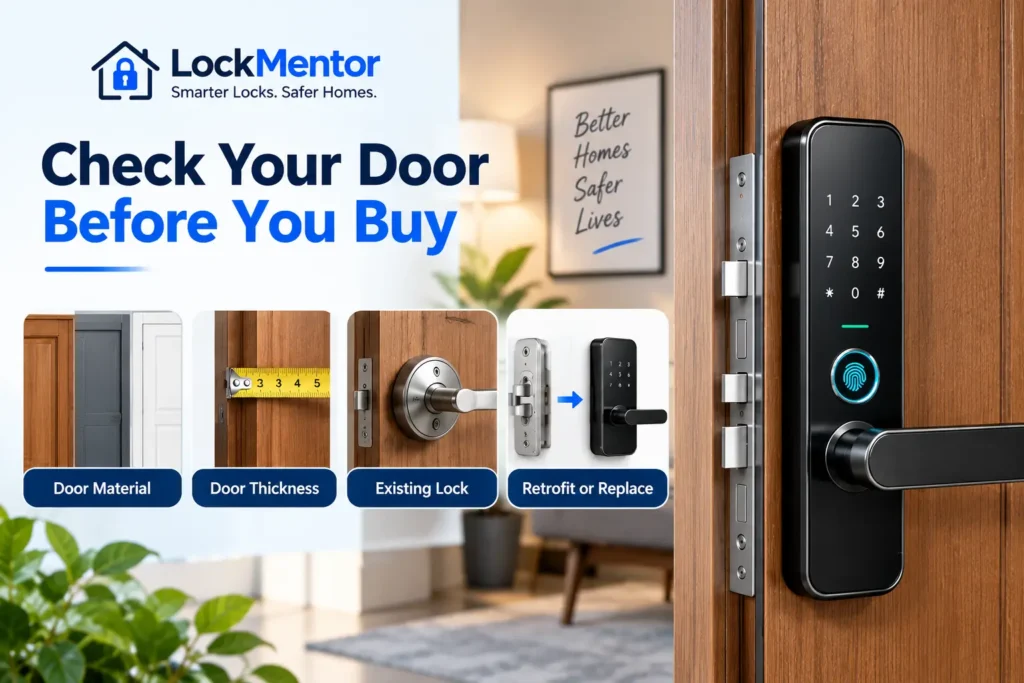
Before comparing features or prices, confirm that the Smart door locks you are considering can actually be fitted to your door. Compatibility depends on the door material, existing locking mechanism, dimensions and the installation method supported by the particular model.
Identify Your Door Material
Start by identifying whether your main door is wooden, metal or steel, aluminium, glass, or another material. Some smart locks are designed for specific door types, while others may require additional hardware or a different installation approach.
Identify Your Existing Lock
Look at the lock already installed on the door. It may use a mortise mechanism, rim lock, deadbolt, cylinder or another configuration. A retrofit smart lock may work with some existing mechanisms, while a full-replacement model may require the original lock to be removed.
Check the Manufacturer’s Compatibility Requirements
Do not assume that a smart lock will fit simply because your door looks similar to the installation shown in a product listing. Check the manufacturer’s specifications for door thickness, backset, lock dimensions, door handing and any other required measurements. For example, Yale lists different supported door-thickness ranges for different smart-lock models, showing why compatibility must be checked model by model. 0
If you are unsure how to measure your door or prepare the installation area, see our smart lock installation guide before selecting a model.
Retrofit vs Full Replacement
| Installation Type | Best For | What to Check |
|---|---|---|
| Retrofit | Suitable existing locks | Compatibility with the existing mechanism and dimensions |
| Full replacement | Doors requiring a new locking mechanism | Door preparation, lock dimensions and installation requirements |
Note: There is no single door-thickness or lock-dimension standard that makes every smart lock compatible. Always compare your actual door measurements with the specific manufacturer’s compatibility requirements before buying.
Which Type of Smart Door Lock Is Right for You?
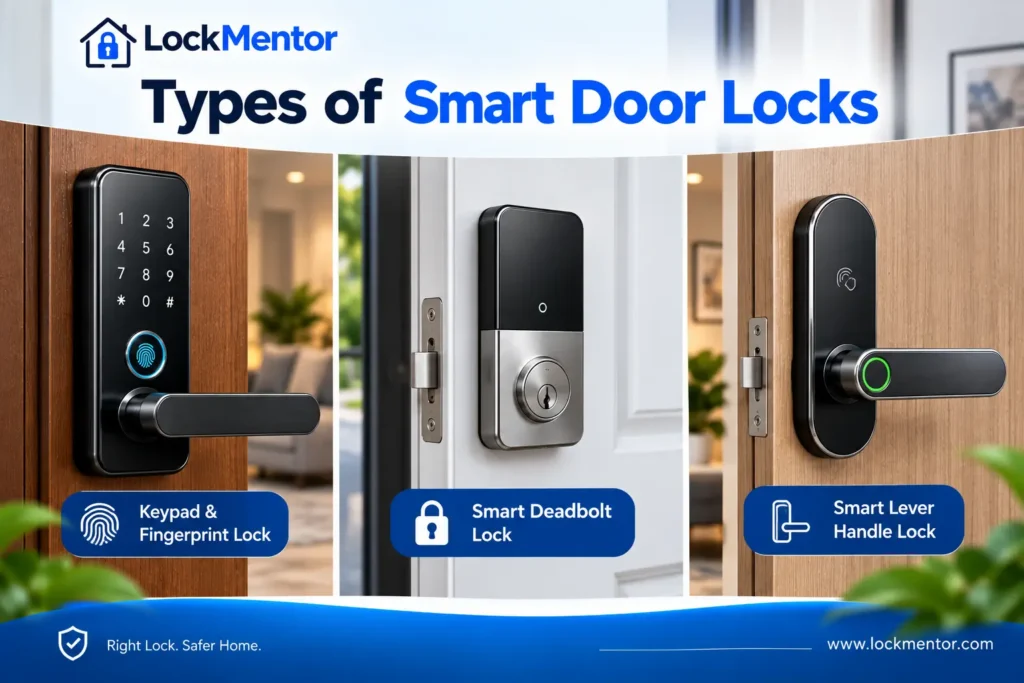
Smart door locks are available with different access methods and connectivity options. Instead of choosing by feature count, match the lock type to how you use your main door, who needs access and whether you need local or remote control.
| Smart Lock Type | Suitable For |
|---|---|
| Fingerprint / Biometric | Families wanting quick keyless entry |
| PIN / Keypad | Families, guests and temporary access |
| RFID / NFC | Simple credential-based entry |
| Bluetooth / App-Based | Nearby smartphone access and access management |
| Wi-Fi Smart Lock | Remote access and notifications |
| Retrofit Smart Lock | Suitable existing locks where minimal modification is preferred |
| Camera / Face Recognition | Users specifically wanting visual or biometric features |
A biometric door lock can be convenient for everyday family use, while a keyless smart lock with PIN access may be more practical when guests or domestic help need controlled entry. Wi-Fi models are useful when remote access matters, whereas a simpler digital smart lock may be sufficient for local access.
Which Unlock Method Is Best?
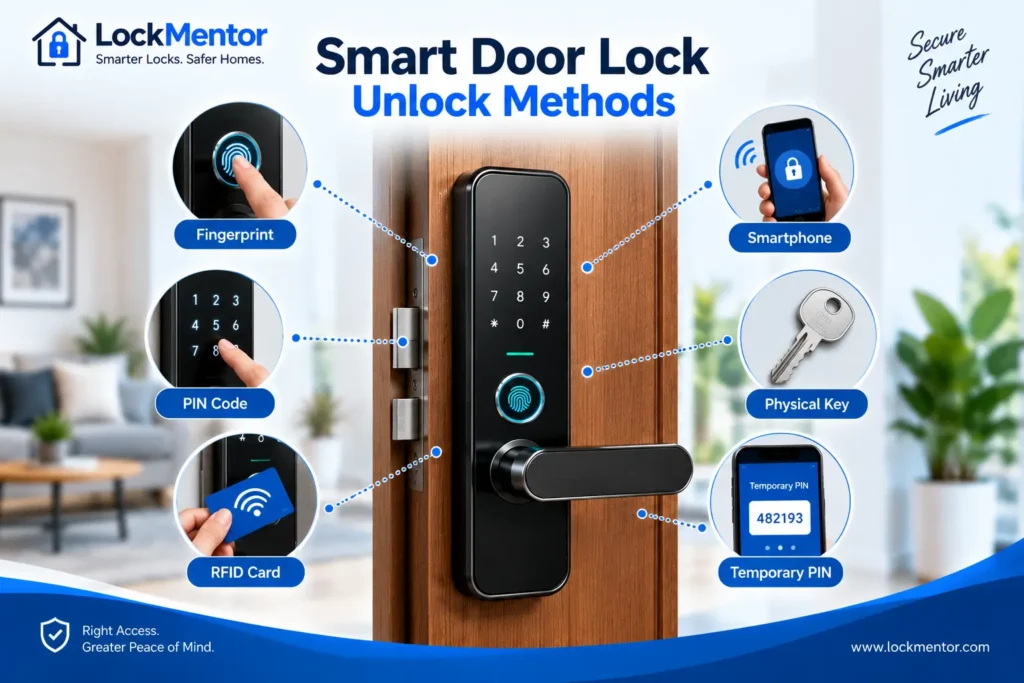
The best unlock method depends on who uses the door and how you want to manage access. A family may prefer fast biometric entry, while guests, domestic help or temporary visitors may make PIN or temporary access more useful. A good smart door lock can also provide more than one access method.
Fingerprint
Fingerprint access is convenient for everyday family use because you do not need to carry a key or remember a PIN. However, wet, dirty, very dry or worn fingers can sometimes affect recognition, so keep another supported access method available.
PIN
PIN access is practical for families, guests and domestic help because codes can often be created, changed or removed without issuing a physical key. Temporary or scheduled codes can also be useful when the lock supports them.
RFID / NFC
RFID or NFC credentials provide simple keyless access without requiring users to remember a PIN. They can be useful for households that prefer cards, tags or other supported credentials.
Smartphone App
App-based access is useful when you want to manage users, review access activity or control the lock from a smartphone. Remote features generally depend on the lock’s connectivity architecture and may require Wi-Fi, a hub or another supported connection.
Physical Key or Mechanical Override
A mechanical key or other manufacturer-supported emergency method can be important when electronic access is unavailable. Check the exact backup mechanism before buying rather than assuming every smart lock provides the same emergency option.
Temporary PIN or OTP
Temporary PINs or OTP-based access can be useful for guests, domestic help, service workers and short-term visitors. Availability and the way these credentials work vary by model, so check the manufacturer’s specifications before relying on this feature.
| Unlock Method | Convenience | Best Use |
|---|---|---|
| Fingerprint | High | Family |
| PIN | High | Family + guests |
| RFID / NFC | High | Simple credential access |
| App | High | Remote management |
| Mechanical Key | Medium | Emergency backup |
If you are deciding between biometric and PIN access, our guide to fingerprint vs PIN smart lock explains the practical differences between these two common authentication methods.
Smart Lock Security: What Actually Matters?
When comparing Smart door locks, security should be evaluated as a combination of physical protection, electronic authentication and account controls—not simply by counting the number of features. A lock can offer fingerprint access, an app and remote control while still being a poor choice if its mechanical design, emergency access or software support does not meet your needs.
Mechanical Security
Start with the physical locking system. Consider the lock body, bolt or latch mechanism, door hardware and overall installation quality. A smart lock still depends on the physical door and frame, so poor alignment or a weak installation can undermine an otherwise capable electronic lock.
Electronic Security
Look at how the lock handles authentication and failed access attempts. Useful security features can include PIN protection, biometric authentication, tamper detection, failed-attempt protection and appropriate access controls. However, the exact implementation varies by product, so check the manufacturer’s specifications rather than assuming every digital smart lock offers the same protection.
App and Account Security
Connected locks introduce another layer to evaluate: the smartphone app and user account. Check how users are added or removed, whether access permissions can be revoked, how accounts are protected and whether the manufacturer provides firmware and software updates. These factors become particularly important for Wi-Fi smart locks and remotely managed systems.
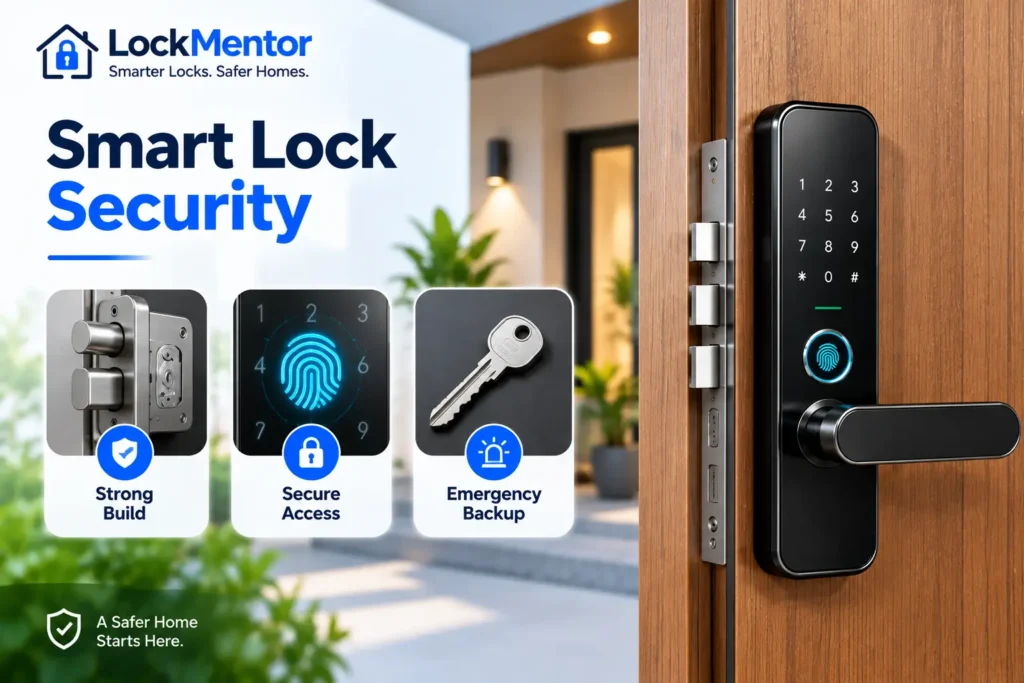
Emergency Access
Security also means knowing what happens when the normal electronic system is unavailable. Depending on the model, emergency access may use a mechanical key, external emergency power, backup credential or another manufacturer-supported method. Before buying, understand exactly how the backup system works.
Security vs Convenience
More features do not automatically mean better security. Remote access, multiple credentials and smart-home integration can improve convenience, but they also add components and account dependencies that need to be managed properly. The best smart lock for your home is one that provides the right balance of physical protection, reliable authentication, controlled access and dependable backup.
Key Takeaway: More smart features do not automatically mean better security. Evaluate the complete system—physical lock, authentication, app and account controls, updates and emergency access—before choosing a smart door lock.
Battery Backup: What Happens If the Battery Dies?
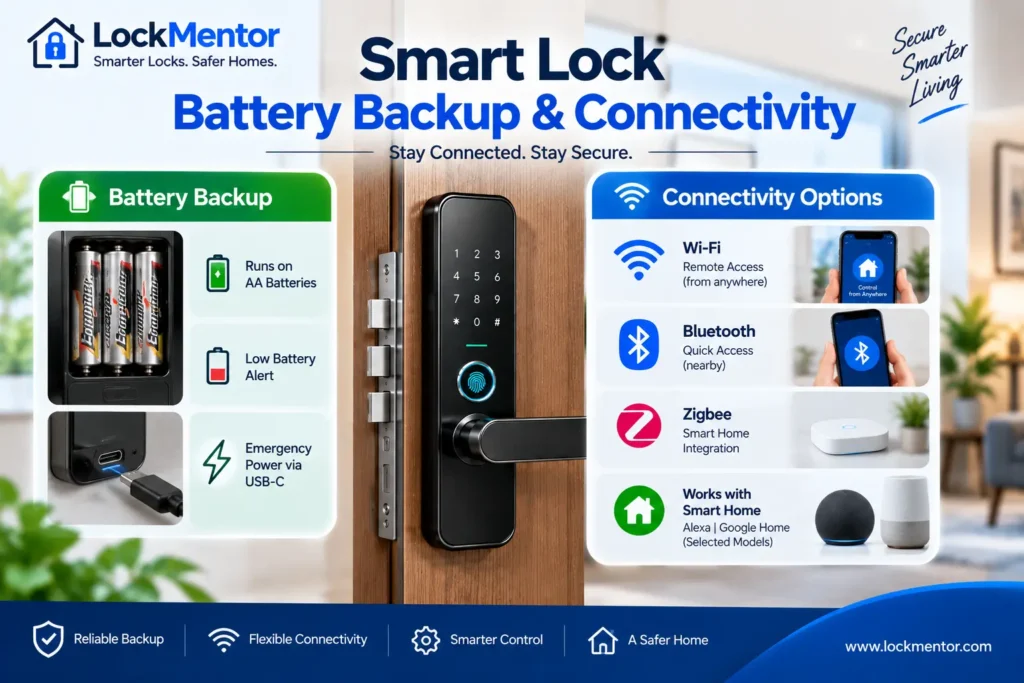
Battery backup is one of the most important things to check before buying Smart door locks. A lock may work reliably during normal use, but a completely depleted battery can make electronic access unavailable. The emergency solution depends on the specific model and its design.
Before Buying, Check
Check the lock’s battery type, expected battery life, low-battery warning, emergency power option and whether the battery is rechargeable or replaceable. Also confirm how the door can be opened if the primary battery is completely depleted.
What Happens During a Power Cut?
A battery-powered smart lock and a mains-powered access system can behave differently during a power cut. Many battery-operated locks do not depend directly on household electricity for normal operation, although their connected features may still depend on the home’s network or internet connection.
What Happens When the Battery Completely Dies?
When the primary battery is fully depleted, the lock’s electronic functions and motor may stop working. Depending on the model, emergency access may be provided through a mechanical key, external emergency power connection, backup credential or another manufacturer-supported method.
If your lock is already showing low-battery warnings, failing to respond or behaving inconsistently, use our smart lock troubleshooting guide to identify common battery, power and related operating problems before considering a factory reset.
Note: Emergency power and backup access methods vary by model. Never assume that every smart lock supports USB-C, a 9V battery or a mechanical key. Check the manufacturer’s documentation for the exact model before buying.
Do You Really Need Wi-Fi?
Not every Smart door lock needs Wi-Fi. The right connectivity option depends on whether you mainly need local smartphone access or want features such as remote unlocking, notifications and integration with a connected home.
Bluetooth
Bluetooth is useful when you usually unlock the door while you are nearby. It can provide local smartphone access without requiring the lock to maintain a direct internet connection, making it a practical choice for users who do not need remote control.
Wi-Fi
A Wi-Fi smart lock can support remote access, notifications and other internet-connected features, depending on the model. This can be valuable if you travel frequently, manage another property or want to check and control the lock while away from home.
Zigbee, Thread and Matter
Zigbee and Thread are wireless technologies commonly used for connected-home devices, while Matter is an interoperability standard designed to help compatible smart-home products work across supported ecosystems. The exact connectivity setup varies by product, so check whether a hub or border router is required.
When Wi-Fi Is Worth Paying For
Wi-Fi is worth considering when remote access, real-time notifications or internet-based control are important to you. If you only need convenient entry at the door, paying extra for built-in Wi-Fi may provide little practical benefit.
When Bluetooth May Be Enough
Bluetooth may be enough for a household that mainly uses fingerprint, PIN or nearby smartphone access. It can also reduce dependence on the home’s internet connection for basic local operation, although other features may still require a network.
What Happens If Internet Goes Down?
An internet outage does not automatically mean that a smart lock becomes unusable. Depending on the model, local methods such as PIN, fingerprint, RFID/NFC, Bluetooth or a mechanical key may continue to work, while remote and cloud-dependent functions become unavailable.
Note: Do not choose connectivity based only on the word “smart.” Check which functions work locally, which require Wi-Fi or a hub, and which depend on an internet or cloud service before buying.
Smart Lock Features: Must-Have vs Nice-to-Have
The best Smart door locks are not necessarily the ones with the longest feature list. Focus first on features that affect reliable daily operation, security and emergency access, then consider additional functions based on how you use your door.
Must-Have Features
- Reliable locking mechanism
- Confirmed door compatibility
- Access method that suits your household
- Low-battery warning
- Manufacturer-supported emergency backup
- Clear warranty and service support
Useful Depending on Your Needs
- Auto-lock
- Access logs
- Temporary PINs
- Remote access
- Notifications
- Smart-home integration
Key Takeaway: You do not need to pay extra for every available feature. Prioritize compatibility, reliable access, security, battery backup, emergency entry and support before adding convenience features.
Smart Door Lock Price in India
The smart lock price in India can vary significantly depending on the lock type, hardware, access methods, connectivity, installation requirements and after-sales support. A higher price does not automatically mean a better choice for every home.
| Price Level | General Position |
|---|---|
| Entry-level | Basic electronic access and essential functions |
| Budget | Common smart-lock features for everyday use |
| Mid-range | Multiple access methods, app features and added convenience |
| Premium | Advanced access, connectivity and hardware features |
| High-end | Advanced hardware, connectivity or smart-home ecosystem features |
When comparing smart locks in India, look beyond the advertised lock price. Installation, door modification, a required hub or bridge, replacement batteries and future service can increase the actual amount you spend.
For this reason, compare models based on the features you genuinely need rather than paying more simply for a longer feature list. A simpler smart door lock that fits your door and has dependable backup access may provide better value than a more expensive model with features you will rarely use.
Note: Smart lock prices change by model, seller, promotions and included accessories. Always check the current manufacturer’s product information and calculate installation and other additional costs before comparing the final price.
Total Cost of Ownership: The Price Tag Isn’t the Full Cost
The advertised price of Smart door locks is only the starting point. The actual amount you spend can be higher once installation, door modification, additional accessories, batteries and future service are considered. Comparing these costs before buying gives you a more realistic picture of long-term value.
Smart Lock Total Cost Formula
A simple way to estimate the real cost is:
Lock Price + Installation + Door Modification + Hub/Bridge + Batteries + Future Service = Total Cost
Not every smart door lock requires all of these expenses. Some models can use the existing lock with minimal modification, while others may require professional installation or additional hardware. Always check what is included in the purchase before comparing two models.
Costs Buyers Often Forget
- Installation: Professional fitting may be required for some doors or lock types.
- Door modification: A full replacement can require drilling, cutting or other preparation.
- Hub or bridge: Some connected locks need an additional device for remote or smart-home features.
- Batteries: Replaceable batteries create a recurring ownership cost.
- Spare parts and service: Repairs or replacement components may become relevant after the warranty period.
Why ₹10,000 Does Not Always Mean ₹10,000
Imagine a smart lock advertised at ₹10,000. If the installation requires additional work and the chosen configuration needs a separate hub or other accessories, the final project cost can exceed the advertised price. This does not make the lock a poor choice; it simply means the purchase should be evaluated as a complete installation rather than as a single product.
Upfront Price vs Long-Term Value
The cheapest option is not always the best value. A slightly more expensive smart lock may make more sense if it fits your door without major modification, provides the access methods you actually need, uses readily available batteries and has dependable service support. Conversely, paying extra for features you will rarely use can reduce the value of a premium model.
Before finalizing your purchase, compare the expected installation and ownership expenses. Our guide to smart lock installation cost explains the factors that can affect installation expenses and the difference between DIY and professional installation.
Note: When comparing smart lock price in India, compare the estimated total installed cost rather than the product price alone.
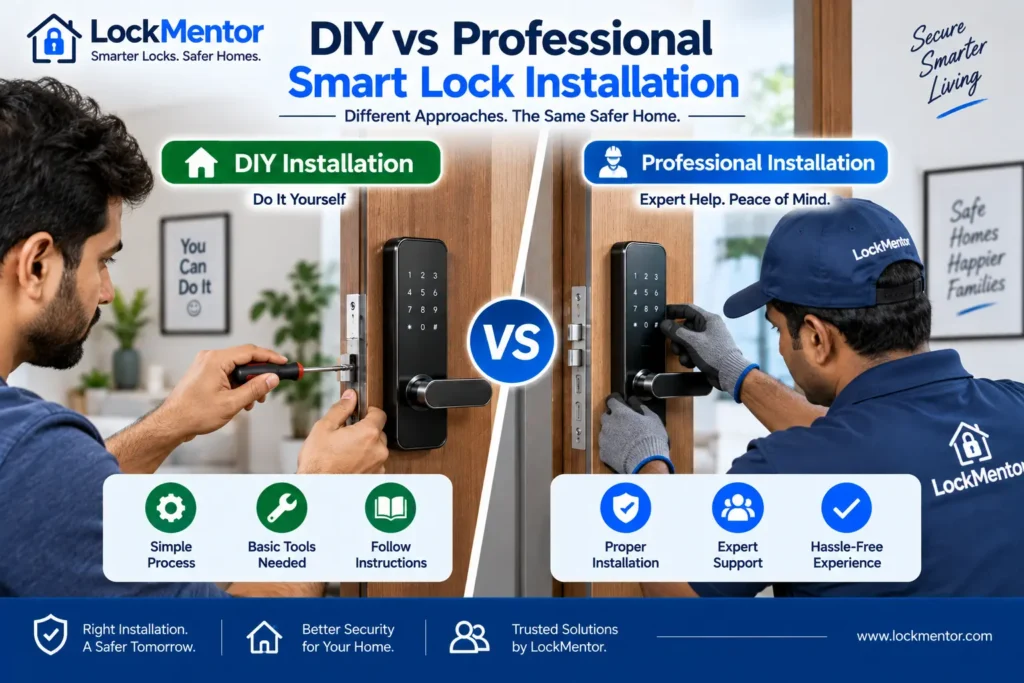
DIY or Professional Smart Lock Installation?
Whether you should install a smart door lock yourself or hire a professional depends mainly on the door, existing lock and amount of modification required. A straightforward retrofit may be suitable for DIY installation, while a complex replacement can benefit from professional fitting.
DIY Smart Lock Installation: When It Makes Sense
DIY installation can make sense when the door is compatible, the existing locking mechanism requires minimal modification and the manufacturer provides clear installation instructions. It can reduce installation expenses and give you more control over the setup.
Professional Installation: When It Is Better
Professional installation is worth considering when the door needs modification, the existing lock is unusual, or the installation involves a metal, glass or non-standard door. Professional fitting can also help when precise bolt alignment is important for reliable locking.
If you are planning the installation yourself, see our guide on how to install a smart lock. For the expected labour and installation-related expenses, see our professional installation cost guide.
Note: Do not choose DIY installation only to save money if the door requires significant modification. Incorrect fitting or poor alignment can affect the reliability and operation of a smart door lock.
After-Sales Service & Warranty: The 2-Year Test
When buying Smart door locks, the manufacturer’s support after installation can be just as important as the features you get on day one. A smart lock combines mechanical hardware, electronics and software, so future repairs, replacement parts and app support can affect the ownership experience.
The 2-Year Test
Ask yourself: If this lock stops working two years from now, who will repair it?
This simple question can reveal the difference between a product that looks attractive at purchase and one that is practical to own long term. Before choosing a model, find out whether the manufacturer or authorised service network can support the lock after installation and outside the warranty period.
Before Buying, Check These Points
- Local service availability: Check whether support is available in your city or region.
- Installation support: Confirm who handles installation, commissioning and alignment issues.
- Spare parts: Check whether important components can be repaired or replaced.
- Repair vs replacement: Understand what happens if the lock develops a hardware fault.
- Post-warranty support: Find out whether paid repairs remain available after the warranty expires.
- App and software support: Check whether the manufacturer continues to maintain the app and connected features.
- Model availability: Consider whether the product is likely to remain supported if the model is discontinued.
- Battery and accessory availability: Confirm that required batteries or proprietary accessories are reasonably accessible.
Warranty vs After-Sales Support
| Warranty | After-Sales Support |
|---|---|
| Defined coverage | Ongoing service availability |
| Limited by specific terms | Repair and technical support may continue beyond warranty |
| Applies for a specified period | Important throughout the product’s useful life |
Why Cheap Can Become Expensive
A lower-priced smart door lock may initially appear attractive, but limited service availability or difficult-to-source replacement parts can create problems later. Conversely, a model with stronger support may provide better long-term value even if its purchase price is higher. Always read the manufacturer’s current warranty and service policy before making the final decision.
Note: A long warranty period does not automatically mean excellent after-sales service. Check who provides the service, where support is available, what parts can be replaced and what happens after the warranty ends.
Privacy & Data Security: Check This Before Buying
A smart lock can handle more than physical access. Depending on the model, its app or cloud service may store information such as access history, user accounts, device activity or biometric credentials. Before buying Smart door locks, understand what data the system collects, where it is stored and how you control it.
Where Is Your Data Stored?
| Storage Approach | What to Check |
|---|---|
| Local | Whether access data remains on the lock or local controller |
| Cloud | What information is uploaded and how the account is protected |
| Hybrid | Which functions operate locally and which depend on cloud services |
Questions to Ask Before Buying
- Biometric data: If the lock uses fingerprints or facial recognition, find out where that information is processed and stored.
- App data: Check what information the manufacturer’s app collects and why.
- Internet dependency: Understand which lock functions continue to work without an internet connection.
- Account security: Look for strong account protection and available authentication controls.
- Access permissions: Check how users can be added, removed and revoked when someone no longer needs access.
- Software updates: Check whether the manufacturer provides security and software updates for the model.
- Service discontinuation: Consider what happens if the app, cloud platform or connected service is discontinued.
Privacy Policy Matters
Do not rely only on a product’s feature list. Read the manufacturer’s current privacy policy and app information before purchase, especially if the lock supports cloud connectivity, remote access, cameras or biometric authentication. The exact data practices can differ significantly between manufacturers and models.
Note: Convenience should not come at the cost of unnecessary data collection. Choose a smart lock whose privacy, account-security and data-storage practices you understand and are comfortable with.
Which Smart Lock Makes Sense for Different Indian Homes?
The right Smart door locks depend on your home, door type and daily routine. A feature that is useful for a frequent traveller may be unnecessary for an apartment or rental home. Instead of choosing the most expensive model, match the lock to how your household actually uses the main entrance.
| Home Type | What to Prioritize |
|---|---|
| Apartment | Door compatibility, reliable access and local service |
| Independent House | Security, weather suitability and dependable backup access |
| Rental Home | Retrofit installation with minimal door modification |
| Elderly Parents | Simple unlocking method, clear battery warnings and backup access |
| Family Home | Fingerprint and PIN access with multiple user profiles |
| Frequent Traveller | App access, remote management and access notifications |
| Second Home | Remote access, activity visibility and reliable service support |
| Rental / Airbnb | Temporary PINs, access logs and easy user management |
For a smart lock for main door, start with compatibility and security before considering advanced features. For a smart lock for home, convenience and multiple access methods may become more important. The best smart lock for home in India is therefore the one that fits the door, household and usage pattern—not simply the model with the longest feature list.
Quick Takeaway: Choose the lock around your household’s real needs. Compatibility, reliable access and after-sales support should come before premium features.
Smart Locks in Indian Conditions
Indian homes can expose a smart lock to heat, humidity, dust, monsoon moisture and frequent temperature changes. These conditions matter more when the lock is installed on a semi-outdoor or exposed entrance. However, not every Smart door locks model has the same environmental protection, so check the manufacturer’s specifications before buying.
Monsoon, Humidity and Water Exposure
A lock installed under a covered entrance may face very different conditions from one directly exposed to rain. Check the model’s stated IP rating, humidity limits and installation restrictions rather than assuming that a digital or smart lock is waterproof.
For example, some Yale smart-lock documentation specifies an IP rating along with operating humidity and temperature limits, while also restricting installation where the lock is directly exposed to heavy rain or water jets. These specifications are model-specific, not universal requirements for all smart locks. See the manufacturer’s smart-lock specifications.
Heat, Dust and Everyday Use
- High temperatures: Check the stated operating temperature range if the entrance receives strong direct sunlight.
- Humidity: Consider environmental specifications for homes in humid or coastal areas.
- Dust: Exposed entrances may require greater attention to the manufacturer’s protection rating and maintenance guidance.
- Wet fingers: Fingerprint recognition can be less convenient when fingers are wet, so keep another access method available.
Note: Never choose a smart lock based only on an IP number or marketing claim. Check the complete manufacturer specification for the exact model, installation location and environmental limitations.
10 Smart Lock Buying Mistakes to Avoid
Common Smart Door Locks Buying Mistakes
Buying Smart door locks only by looking at features, ratings or price can lead to problems later. Avoid these common mistakes before making your decision:
- Ignoring door compatibility: Always verify the lock, door thickness and existing hardware requirements.
- Choosing features over fit: A feature-rich lock is useless if it does not suit your door.
- Ignoring battery backup: Check battery warnings and emergency access options.
- Forgetting emergency access: Make sure there is a dependable backup unlocking method.
- Paying for unnecessary Wi-Fi: Choose Wi-Fi only when remote access or connected features justify it.
- Ignoring installation costs: Include professional fitting or door modification in your budget.
- Overlooking service availability: Check whether local support and spare parts are available.
- Confusing warranty with support: A warranty does not automatically guarantee convenient after-sales service.
- Ignoring privacy and app security: Understand how the lock handles accounts and user data.
- Choosing the lowest price: Compare the complete ownership cost instead of only the product price.
Quick Takeaway: The cheapest or most feature-packed lock is not automatically the best. Check compatibility, security, backup access, total cost and after-sales support before buying.
Smart Lock Decision Tree
Choose the Right Smart Door Locks Step by Step
Use this simple decision path before choosing Smart door locks for your home:
START → Check your door material and dimensions → Identify the existing lock → Choose retrofit or full replacement → Select your preferred access method → Decide whether you need remote access → Check security and emergency backup → Calculate the total cost → Verify warranty and local service → BUY if everything fits your requirements → RECONSIDER if compatibility, backup or support is uncertain.
This approach prevents you from choosing a lock simply because it has more features or a higher rating. Start with the door and your actual requirements, then evaluate technology and price.
Smart Door Lock Buying Checklist
Smart Door Locks Checklist Before Buying
Before purchasing Smart door locks, use this quick checklist:
- ☐ Door material, thickness and dimensions checked
- ☐ Existing lock and compatibility verified
- ☐ Preferred access method selected
- ☐ Battery life and low-battery warning checked
- ☐ Emergency unlocking method confirmed
- ☐ Wi-Fi requirement evaluated
- ☐ Installation and door-modification costs included
- ☐ Total cost of ownership calculated
- ☐ Warranty and local service availability verified
- ☐ Spare parts and post-warranty support considered
- ☐ Privacy policy and app-security practices reviewed
Final Check: If compatibility, emergency access, total cost or after-sales support is unclear, do not rush the purchase.
Final Verdict
Choosing the Best Smart Door Locks for Your Home
The best smart door locks are not necessarily the most expensive or the ones with the longest feature list. The right choice should pass seven checks: FIT → FUNCTION → SECURITY → POWER → CONNECTIVITY → COST → SUPPORT.
Start by confirming that the lock fits your door and existing hardware. Then choose the access methods your household will actually use, verify emergency and battery backup, and decide whether connected features such as Wi-Fi are genuinely necessary. Finally, compare the complete ownership cost, warranty and after-sales support.
Bottom Line: The right Smart door locks should fit your door, match your household’s needs, provide dependable backup access, offer reasonable long-term value and remain supportable after purchase.
Smart Door Locks FAQs
What are the best smart door locks for an Indian home?
The best option depends on your door compatibility, preferred access method, security requirements, battery backup, connectivity and local after-sales support. There is no single model that is best for every Indian home.
How much does a smart door lock cost in India?
Smart door lock prices vary by model, features and installation requirements. Compare the complete ownership cost, including installation, batteries, accessories and future service—not just the product price.
Are smart door locks safe?
Smart locks can provide strong security when their mechanical construction, electronic controls, account security and emergency access are properly designed. More features do not automatically mean better security.
Can smart door locks be installed on any door?
No. Compatibility depends on the door material, thickness, existing lock, backset, dimensions and the manufacturer’s installation requirements. Always verify compatibility before purchasing.
What happens if the smart lock battery dies?
The result depends on the model. Smart locks may provide an external emergency-power option, mechanical key or another backup method. Check the exact manufacturer’s instructions before buying.
Do smart door locks work during a power cut?
Battery-powered locks generally continue operating during a household power cut, but connected features may behave differently. Always check the specific model’s power and connectivity requirements.
Is Wi-Fi necessary for a smart lock?
No. Bluetooth can be sufficient for local smartphone control. Wi-Fi becomes useful when you need remote access, notifications or other internet-connected functions.
Which is better: fingerprint or PIN?
Both can be useful. Fingerprint access is convenient for frequent users, while PIN access avoids dependence on fingerprint recognition. A lock supporting multiple access methods provides greater flexibility.
Are smart locks suitable for rented homes?
They can be, particularly retrofit models that require minimal door modification. Before installation, check compatibility and obtain the property owner’s permission if required.
How long does a smart lock battery last?
Battery life varies by model, usage, connectivity and lock condition. Frequent operation, motor resistance and connected features can affect battery consumption. Check the manufacturer’s stated battery information for the exact model.
Final Tip: Before buying Smart door locks, verify compatibility, emergency access, battery requirements, total cost, privacy, warranty and local service support.