
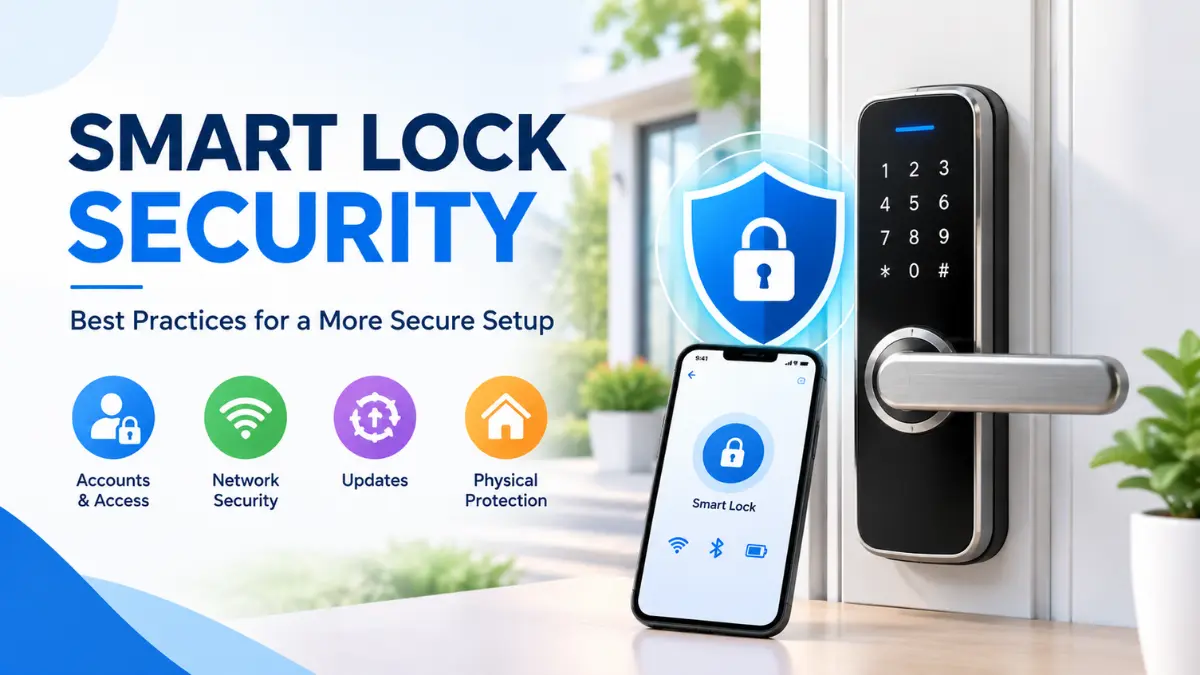
Smart lock security involves more than protecting a lock from hacking. A smart lock combines physical hardware, electronic components, access credentials, mobile apps and, depending on the model, wireless or smart-home connectivity. Each of these parts can affect the overall security of the system.
Simple practices such as using strong and unique credentials, limiting user access, keeping supported software updated, securing your home network, and checking the physical condition of the lock can help reduce common security risks.
In this guide, we’ll cover practical smart lock security best practices for protecting your account, PINs, connected devices, privacy, physical lock and emergency-access options. We’ll also explain what to check when a phone is lost, a user no longer needs access, or a smart lock reaches the end of its supported lifecycle.
Whether you’re choosing a new smart lock or already use one at home, these practices can help you build a more secure setup without relying on a single security feature.
Quick Answer: Good smart lock security starts with a strong account password and unique access credentials. Keep the lock, app and supported firmware updated, secure your Wi-Fi and connected devices, regularly review users and access logs, protect the physical door and lock, and keep a manufacturer-supported emergency access method ready.
What Makes a Smart Lock Secure?
Smart lock security depends on more than the technology used to unlock the door. A secure setup combines the physical strength of the lock and door with secure authentication, protected software, reliable connectivity, privacy controls and a practical backup plan.
When evaluating a smart lock, look at the complete system rather than focusing on a single feature such as fingerprint access, Bluetooth, Wi-Fi or encryption. Each layer addresses a different part of the security process.
Physical Security
Physical security includes the lock, deadbolt, door, frame, strike plate and installation. A smart lock with strong digital protections cannot fully compensate for a weak door or poorly installed locking hardware.
Digital Security
Digital security covers the smart lock’s firmware, mobile application, account, wireless communication and connected services. Keeping these components properly secured and supported can reduce the risk of unauthorized access to connected functions.
Authentication and Access Control
Depending on the model, authentication may include a PIN, fingerprint, smartphone, RFID/NFC credential or another supported method. Access permissions should also be limited to authorized users.
Privacy and Data Security
Connected smart locks may process information such as account details, access logs, device information and, on some models, biometric or location-related data. Understanding what information the lock collects and how connected services handle it is an important part of overall security.
Reliability and Emergency Access
Security also includes what happens when something goes wrong. A depleted battery, lost phone, internet outage or unavailable cloud service should be considered when planning how the lock will be used. The available backup options depend on the specific model.
For a broader explanation of how these factors affect the overall safety of smart locks, see our guide to whether smart locks are safe.
Key Point: No single feature makes a smart lock secure. Physical protection, authentication, software, connectivity, privacy and recovery planning all contribute to the overall security of the system.
1. Secure Your Smart Lock Account
Your smart-lock account can control important security functions, so protecting the account is an essential part of smart lock security. If someone gains unauthorized access, they may be able to manage users, access credentials or connected features, depending on the lock and its app.
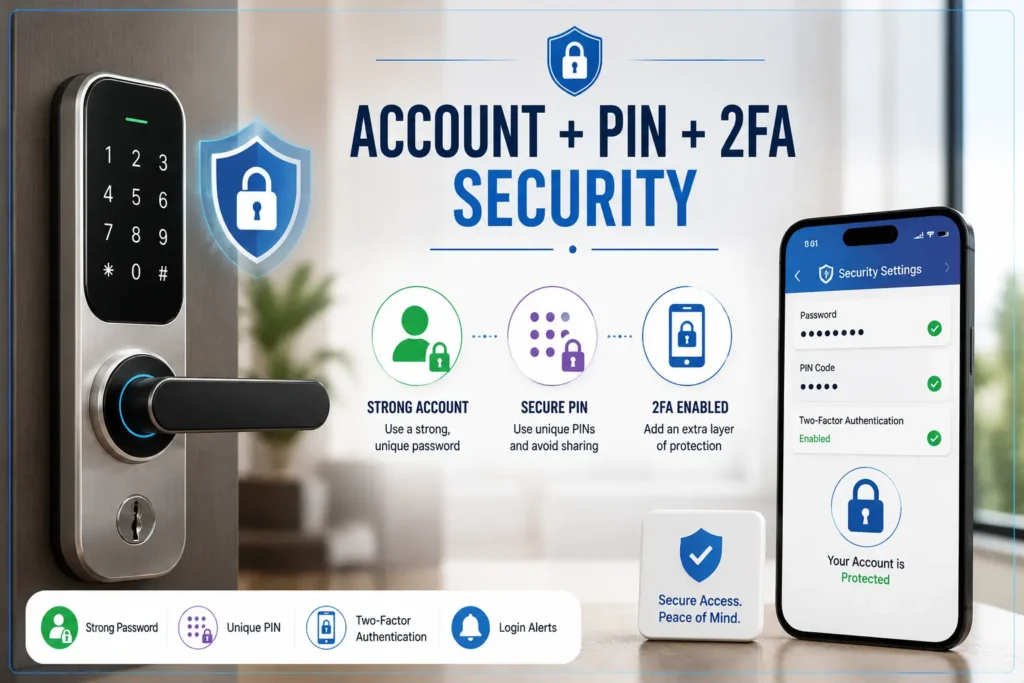
Use a Strong, Unique Account Password
Create a strong password that is unique to your smart-lock account. Avoid reusing the same password for email, social media, banking services or other connected devices.
Avoid passwords based on easily available personal information such as your name, birthday or phone number. A password manager can help you create and store unique passwords securely.
Enable Two-Factor Authentication When Available
If the smart-lock manufacturer supports two-factor authentication (2FA) or multi-factor authentication (MFA), enable it for your account. This adds another verification step beyond your password and can provide additional protection if the password is compromised.
The available authentication options vary by manufacturer and application, so use the strongest security option supported by your specific account.
These practices are also consistent with the FTC’s guidance on protecting accounts and devices, which recommends using unique passwords and two-factor authentication where available.
Protect the Main Admin Account
Avoid sharing the main administrator credentials with family members, guests, workers or other people who only need access to the door. Where supported, create separate user accounts or access credentials instead.
Secure Account Recovery Options
Make sure the email address or phone number used for account recovery is itself protected with a strong, unique password and 2FA/MFA where available. If you lose access to your account, use the manufacturer’s official account-recovery procedure.
Pro Tip: Treat your smart-lock account like any other security-sensitive account: use a unique password, enable 2FA/MFA when available, limit administrative access and keep account-recovery methods protected.
2. Use Smart Lock PINs and Access Credentials Safely
Managing access credentials carefully is an important part of smart lock security. A smart lock may support multiple PINs, fingerprints, smartphones, RFID/NFC credentials or temporary access codes, but each credential should be assigned only to an authorized person and removed when it is no longer needed.
Avoid Easy-to-Guess PINs
Avoid simple PINs that another person could easily guess, such as 1234, 0000, birthdays, phone-number sequences or other obvious personal information. If your smart lock allows longer PINs, use the length and format supported by the manufacturer and choose a code that is difficult for others to predict.
Give Each User a Separate Credential
Do not rely on one shared PIN for everyone who needs access. When the lock supports individual users, create a separate credential for each authorized person. This makes it easier to identify, manage and revoke access without changing the credentials used by everyone else.
Use Temporary or Scheduled Access
Temporary or scheduled credentials can be useful when someone needs access only for a limited period. Depending on the lock, you may be able to create access for a specific guest, worker or service provider and set an expiration time or schedule.
Use these controls when available instead of giving temporary users a permanent credential that remains active after their access is no longer required.
Remove Unused Credentials
Regularly review the credentials stored in your smart-lock system and remove former guests, workers, tenants, old users and temporary credentials that are no longer required.
Removing unnecessary credentials reduces the number of active access paths to the property and makes the access-control system easier to manage.
Pro Tip: Think of smart-lock access like a user list: give each person their own credential, limit access to what they need, set expiration dates when possible, and remove access as soon as it is no longer required.
3. Keep Firmware, Apps and Security Support Up to Date
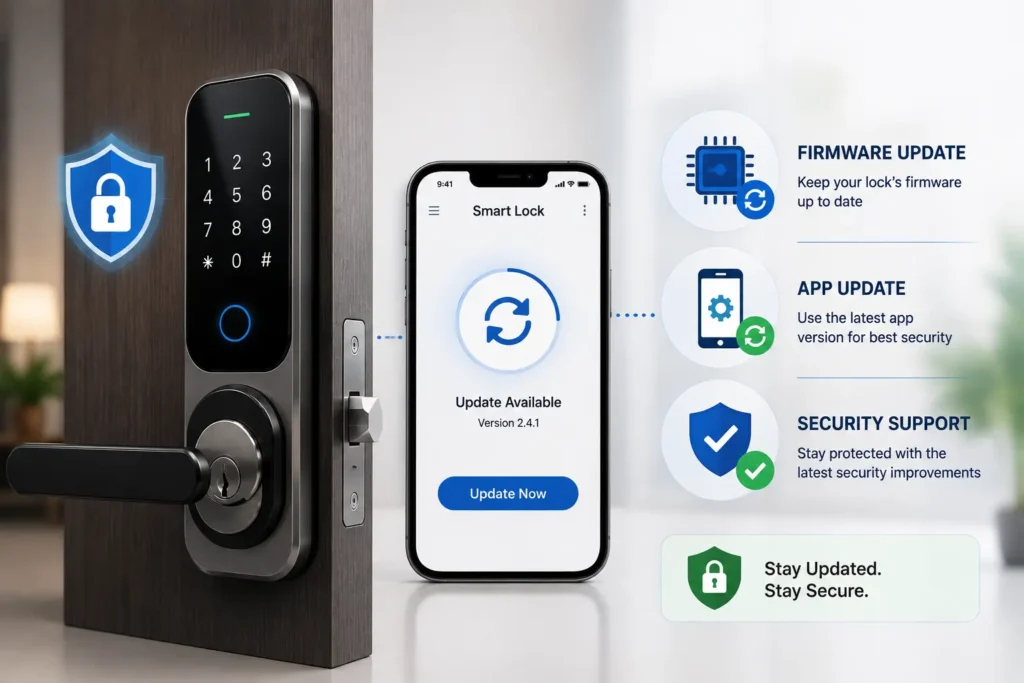
Keeping your smart lock’s software up to date is an important part of smart lock security. Firmware and mobile-app updates may address security vulnerabilities, compatibility problems, bugs or other issues that can affect connected features.
Why Firmware Updates Matter
Smart-lock firmware controls important electronic functions and communication with other systems. When the manufacturer releases a security or firmware update, install it according to the manufacturer’s instructions and confirm that it is intended for your specific model.
Keep the Smart Lock App Updated
The mobile application is another part of the smart-lock security chain. Keep the official app updated through the supported app store or manufacturer-provided update method. If automatic updates are supported, enabling them can help prevent important updates from being unnecessarily delayed.
Check the Manufacturer’s Security Support
Software support should be considered throughout the life of a smart lock. Before buying a connected lock, check whether the manufacturer provides information about security updates, software support, vulnerability handling and the expected support lifecycle.
NIST’s IoT cybersecurity guidance addresses manufacturer lifecycle activities, including post-market support, security maintenance and end-of-life communication. For consumers, this makes the manufacturer’s published support policy and update history useful factors to consider when evaluating a connected lock.
What Happens When a Smart Lock Stops Receiving Updates?
A smart lock that no longer receives security updates can become harder to maintain securely if newly discovered vulnerabilities affect unsupported software. Check the manufacturer’s current support information and consider replacement options when the product reaches the end of its supported lifecycle.
Note: Do not install unofficial firmware or updates from unknown sources. Use the manufacturer’s official update method and verify that the software is intended for your exact smart-lock model.
4. Secure Your Wi-Fi, Bluetooth and Smart-Home Network
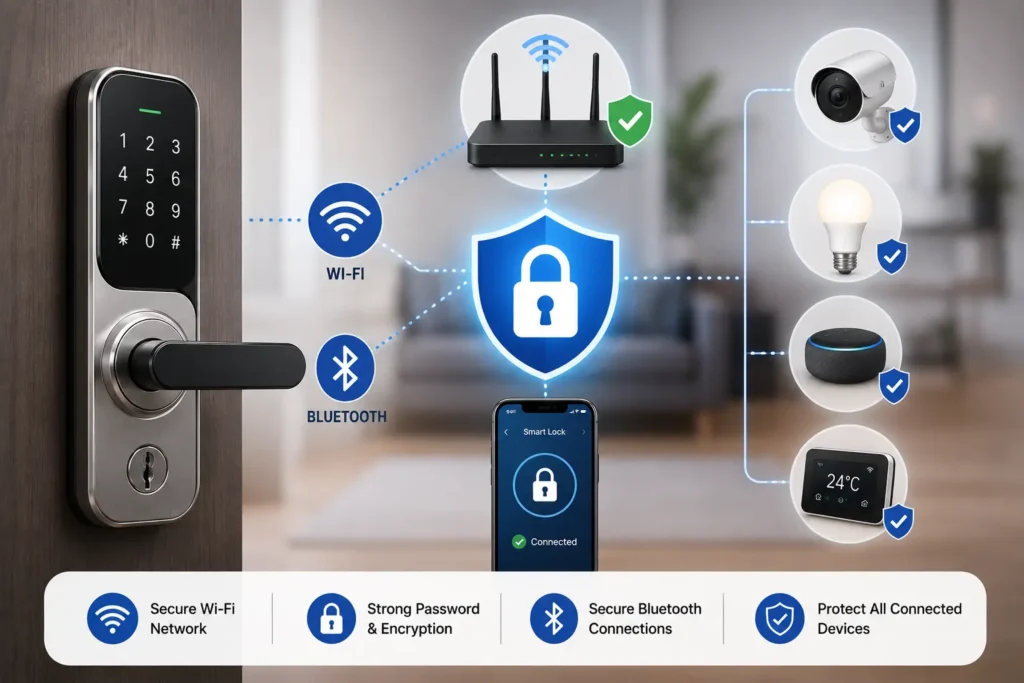
A connected smart lock may depend on your home network, smartphone, hub or bridge for some of its features. Securing these connected components is therefore an important part of smart lock security, especially when the lock supports remote access or other internet-connected functions.
Use WPA3 Personal or WPA2 Personal
If your router supports WPA3 Personal, it is generally the preferred modern Wi-Fi security option. If WPA3 is not available, use WPA2 Personal with a strong, unique Wi-Fi password. Avoid outdated wireless security protocols such as WEP and older WPA configurations.
For additional guidance on securing a home Wi-Fi network, see the FTC’s home Wi-Fi security guidance.
Secure the Router Admin Account
The router’s administrator account should have a strong, unique password. Do not leave the manufacturer’s default administrator credentials unchanged, and avoid sharing router-management credentials with people who do not need them.
Review unnecessary router-management features such as remote administration, WPS or UPnP and disable them when they are not required and the router manufacturer recommends doing so.
Keep the Router Updated
Router firmware can contain important security fixes. Use the manufacturer’s supported update process and enable automatic security updates when the router provides that option.
Secure the Smart Lock Hub or Bridge
If your smart lock uses a hub, bridge or another network-connected device, secure that device as carefully as the lock itself. Keep its software updated, use the manufacturer’s recommended configuration and protect the account associated with it.
Use Secure Bluetooth Pairing
When pairing a smart lock with a smartphone or another device, use the manufacturer’s official pairing process. Avoid accepting unexpected pairing requests and remove old or unknown paired devices when the lock or application provides that option.
Consider a Separate Smart-Home Network
If your router supports guest or separate network functionality, you may consider placing compatible smart-home devices on a separate network. Network separation can help limit the impact of a security problem affecting another connected device, although the exact benefit depends on how the network is configured.
For a detailed comparison of the connectivity technologies used by smart locks, including Wi-Fi, Bluetooth and Matter, see our Wi-Fi vs Bluetooth vs Matter smart locks guide.
Note: A smart lock does not become secure simply because it uses Wi-Fi or Bluetooth. Secure network settings, protected accounts, updated devices and safe pairing practices all contribute to the security of a connected smart-lock system.
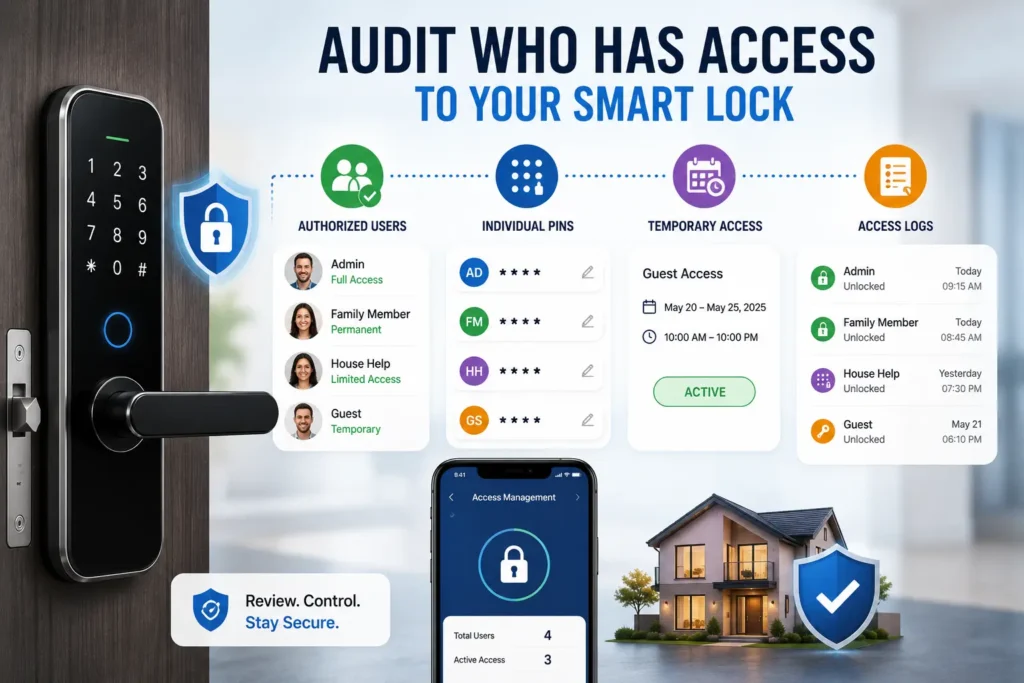
5. Audit Who Has Access to Your Smart Lock
Managing who can unlock your door is a critical part of smart lock security. A secure smart lock should make it easy to review, change and remove access when circumstances change.
Review and Remove Authorized Users
Regularly check the users and credentials registered with your smart lock. Remove former guests, workers, tenants, service providers and anyone else who no longer needs access. Make sure the remaining permissions match each person’s current need for entry.
Review Temporary PINs and Scheduled Access
Temporary credentials should have an appropriate expiration date or schedule whenever the smart lock supports these controls. Review active temporary access periodically and remove credentials that have expired or are no longer required.
Check Access Logs
If your smart lock provides access history, review the available logs periodically. Look for unexpected unlock events, unfamiliar users, unusual access times or activity that does not match the expected use of the lock.
Investigate Unexpected Unlock Events
An unfamiliar entry in an access log does not automatically prove that the lock was compromised. First check whether it could have been caused by an authorized user, automation, scheduled credential or another supported function.
If an event cannot be explained, secure the relevant account and credentials, review connected devices and follow the manufacturer’s troubleshooting or security-support procedure.
Revoke Access Immediately When Needed
If you believe a credential has been exposed or an unauthorized person may still have access, revoke the affected credential as soon as possible. Depending on the lock, you may also need to change a shared PIN, remove a user, disconnect a device or secure the associated account.
Pro Tip: Treat smart-lock access like a regularly maintained guest list: know who has access, use individual credentials where supported, set limits for temporary access, review activity and remove access as soon as it is no longer needed.
6. Secure Smart-Home Integrations
Connecting a smart lock to voice assistants, automation platforms or third-party services can add convenience, but each integration can introduce another account, permission or connected device that needs to be secured. Reviewing these connections is therefore an important part of smart lock security.
Alexa and Google Home Integration
If your smart lock supports integration with Alexa, Google Home or another voice assistant, review exactly which lock functions the integration can access. Avoid enabling features you do not need, particularly when they involve remote control or unlocking.
Voice Unlocking and Voice Authentication
Voice-controlled unlocking can introduce an additional authentication consideration. If your smart-home platform provides a voice verification, PIN or other confirmation requirement for sensitive actions, use the strongest supported option rather than allowing unrestricted voice commands to unlock the door.
Third-Party Apps and Services
Before connecting a third-party application or service, check what permissions it requests and whether those permissions are necessary for the feature you want to use. Avoid giving a service broader access than required, and disconnect services you no longer use.
Also review the permissions and account access associated with connected voice assistants, automation platforms, hubs and other third-party services so unnecessary connections do not remain active.
Automation and Geofencing
Automation and geofencing can make smart-lock management more convenient, but they depend on factors such as location services, smartphone settings, network connectivity and the automation platform. Review automations regularly and avoid relying on an automated rule as your only method of securing or accessing the property.
Pro Tip: Connect only the smart-home services you actually need. Review permissions, protect connected accounts, use additional verification for sensitive actions and remove integrations when they are no longer required.
7. Protect the Physical Lock and Door
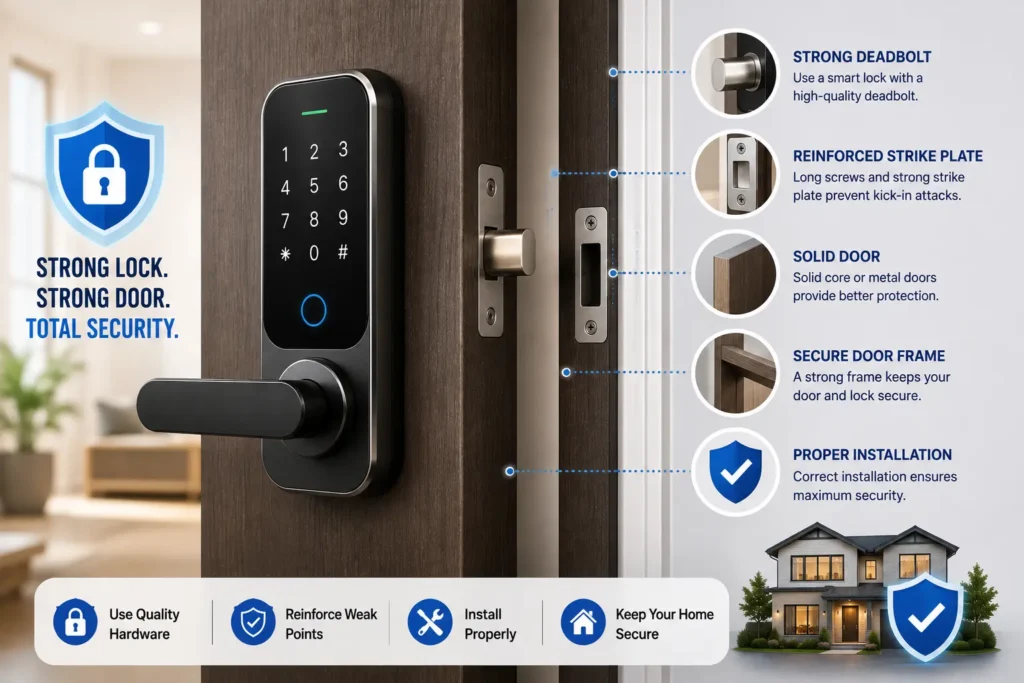
Digital security cannot compensate for weak physical protection. A smart lock is part of the door’s overall security system, so smart lock security also depends on the condition of the door, frame, deadbolt, strike plate and installation.
Check Door and Deadbolt Alignment
Make sure the deadbolt moves smoothly without excessive pressure or friction. If the bolt becomes difficult to operate when the door is closed, check the alignment of the door, frame and strike plate.
Excessive resistance can affect reliable operation and place additional strain on the lock’s motor. Correcting an installation or alignment problem is therefore an important part of maintaining the lock.
Use a Strong Strike Plate and Secure Hardware
The strike plate and its mounting hardware connect the locking mechanism to the door frame. Use the hardware specified for your smart lock and make sure it is installed securely according to the manufacturer’s instructions.
Protect the Door and Frame
A smart lock cannot provide strong physical security if the surrounding door or frame is weak. Check for damage, loose hardware, excessive gaps or other conditions that could compromise the door independently of the electronic lock.
Check for Tamper or Forced-Entry Alerts
Some smart locks provide tamper detection or alerts when unusual physical activity is detected. If your model supports these features, configure them according to the manufacturer’s recommendations and enable notifications where appropriate.
Follow the Correct Installation Procedure
Incorrect mounting can affect both security and reliable operation. If you are installing a new lock or troubleshooting an installation problem, follow the manufacturer’s instructions for mounting, deadbolt positioning, strike alignment and any required calibration.
For a detailed look at the mechanical and mounting considerations involved, see our smart lock installation guide.
Note: Do not evaluate a smart lock only by its electronic features. The door, frame, strike plate, deadbolt and installation are all part of the physical security system.
8. Protect Your Smart Lock Privacy and Data
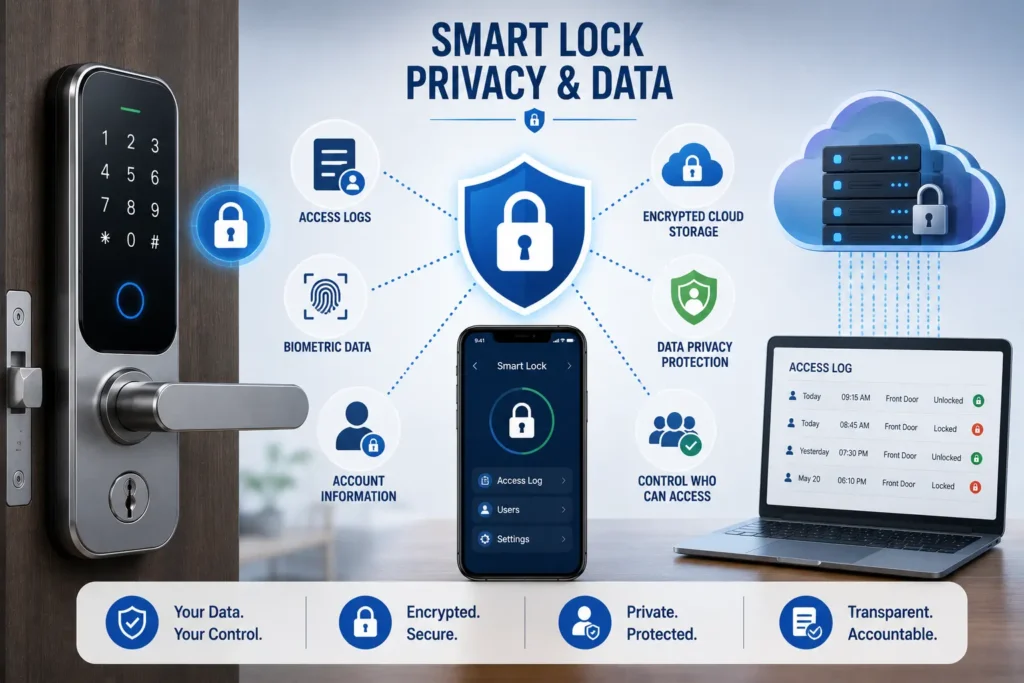
Smart locks can process more information than a traditional mechanical lock, particularly when they use a mobile app, cloud service, access logs or biometric authentication. Protecting this information is an important part of smart lock security.
Understand What Data the Lock Collects
Depending on the model, a smart-lock system may process information such as account details, access events, device information, usage data and, in some products, biometric or location-related information.
Before buying or enabling connected features, review the manufacturer’s privacy information to understand what data is collected, how it is used and which services may process it.
Check How Access Logs Are Handled
Access logs can be useful for identifying when the lock was operated and, depending on the system, which credential or user was involved. However, these records can also reveal information about household access patterns.
Check whether access history is stored locally, on the lock, in a hub or through a cloud service, and understand how long the manufacturer retains the information where this is disclosed.
Review Biometric Data Practices
If your smart lock uses fingerprint or another biometric authentication method, check the manufacturer’s documentation for information about how biometric credentials are stored and processed.
Do not assume that every fingerprint smart lock handles biometric information in the same way. The storage and processing architecture can differ significantly between products.
Limit Third-Party Data Sharing
Review the permissions and connected services associated with your smart-lock account. If the manufacturer provides privacy controls or options for managing data sharing, use them according to your requirements.
Pro Tip: Don’t look at smart-lock security only from the perspective of unauthorized entry. Also ask what data your lock collects, where it is processed, who can access it and how long it is retained.
9. Prepare for Battery Failure and Emergency Access
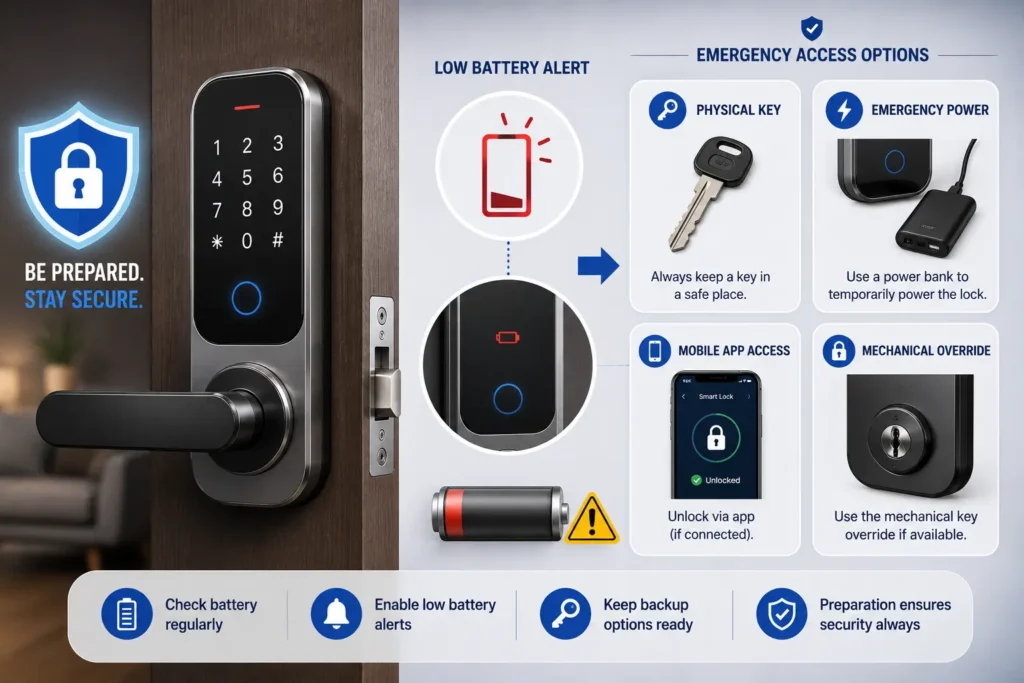
A secure smart lock should remain manageable when its battery becomes low or depleted. Planning for these situations is an important part of smart lock security because battery failure can affect electronic access even when the physical locking mechanism is working normally.
Monitor the Battery Level
If your smart lock or its app provides a battery-level indicator or low-battery notification, pay attention to these warnings. Replace or recharge the battery according to the manufacturer’s instructions rather than waiting until the lock becomes unresponsive.
Know Your Emergency Access Method
Emergency access options vary by model. Depending on the product, the manufacturer may provide a mechanical key, external emergency power, USB power input or another supported backup method.
Understand the procedure before an emergency occurs and keep any required key, compatible battery, cable or power source accessible in a secure location. Do not keep your only backup method inside the property protected by the smart lock.
Plan for Internet or Network Failure
A loss of internet connectivity is different from a depleted battery. Some smart locks can continue to support local access methods such as a PIN, fingerprint, physical key or Bluetooth even when cloud-based or remote functions are unavailable.
Check which functions remain available offline on your specific model instead of assuming that every feature will work without an internet connection.
Test Your Backup Procedure Before You Need It
Understand the manufacturer’s documented emergency-access procedure in advance and make sure the required backup items are available. Use only the emergency-access method specified by the manufacturer.
For more detail on battery runtime, low-battery warnings and emergency-access methods, see our smart lock battery life guide.
Key Takeaway: Emergency planning is part of smart-lock security. Know your lock’s low-battery warnings, supported backup method and offline capabilities before you actually need them.
10. What to Do If Your Smartphone Is Lost or Stolen
A smartphone can act as a digital key for a smart lock, so losing the phone can create an access-control risk. Protecting the phone and quickly securing the associated account should therefore be part of your smart lock security plan.
Lock the Lost Smartphone
Use your phone’s built-in device-locking or remote-management feature as soon as possible. A strong screen lock, such as a supported PIN, password or biometric method, can help prevent another person from easily accessing the smart-lock application.
From another trusted device, secure your smart-lock account by signing out the lost device where supported, changing the password if necessary and reviewing active sessions or connected devices.
Remove the Lost Phone as an Authorized Device
Some smart-lock systems allow users to manage authorized smartphones or devices. If your lock provides this feature, remove the lost phone from the list of trusted or authorized devices.
Review Access Activity
If the smart-lock system provides access logs, check for unexpected activity after the phone was lost. An unfamiliar event should be investigated alongside your account sessions, authorized users and connected devices.
Use Another Authorized Access Method
Make sure another trusted person or an alternative supported credential can access the property if necessary. Depending on the lock, this could include a PIN, fingerprint, RFID/NFC credential, physical key or another manufacturer-supported method.
Key Takeaway: Treat a lost smartphone like a lost digital key. Secure the phone, protect the smart-lock account, remove the lost device when supported and review access activity.
11. Before Selling or Transferring a Smart Lock
A smart lock can retain user accounts, access credentials, device connections and configuration information even after it is removed from a door. Properly preparing the device before selling, giving away or transferring it is therefore an important part of smart lock security.
Remove Users and Access Credentials
Before transferring the lock, review the registered users and remove credentials that should no longer remain associated with the device. Depending on the model, this may include PINs, fingerprints, RFID/NFC credentials, smartphones and other authorized access methods.
Disconnect the Lock From Your Account
Remove the smart lock from your manufacturer account or app according to the official transfer or removal procedure. Do not assume that deleting the mobile application from your phone automatically removes the lock from your account.
Remove Connected Services
If the lock was connected to a hub, bridge, voice assistant, automation platform or another third-party service, review and remove those connections as appropriate. This helps prevent previous accounts or integrations from remaining associated with the device.
Perform a Factory Reset When Required
Follow the manufacturer’s documented factory-reset procedure if the lock is being transferred to another person. The exact information removed by a factory reset can vary between products, so do not assume that every model handles stored data or account associations in the same way.
After resetting the device, verify that it is no longer linked to your account or other connected services before handing it over to the new owner.
Remove Personal Information
Check whether the lock or its associated application stores user names, access history, biometric credentials, device information or other personal data. Follow the manufacturer’s instructions for removing or deleting information before transferring ownership.
Pro Tip: Do not simply uninstall the smart-lock app when transferring a lock. Remove users, disconnect integrations, follow the manufacturer’s transfer or factory-reset procedure and confirm that the device is no longer associated with your account.
12. Maintain Your Smart Lock Regularly
Regular maintenance helps keep both the electronic and mechanical parts of a smart lock working as intended. A simple maintenance routine can support reliable operation and strengthen your overall smart lock security.
Check the Lock and Door Hardware
Periodically inspect the deadbolt, strike plate, mounting hardware and door frame for looseness, damage or unusual movement. Address mechanical problems before they affect the lock’s normal operation.
Keep the Lock and Keypad Clean
Keep the exterior of the lock and keypad clean according to the manufacturer’s cleaning instructions. If the lock uses a fingerprint sensor, follow the manufacturer’s guidance for keeping the sensor surface clean and usable.
Monitor Battery Condition
Check the battery status when the lock or app provides this information. Replace or recharge batteries according to the manufacturer’s specifications and investigate unusually rapid battery drain rather than repeatedly replacing batteries without identifying the cause.
Check for Security and Software Alerts
Pay attention to notifications from the manufacturer’s app about firmware, security, account or device issues. Follow the manufacturer’s recommended troubleshooting procedure when the lock reports an abnormal condition.
As part of your regular maintenance routine, also briefly review authorized users, access credentials, connected smartphones and smart-home integrations and remove anything that is no longer required.
Note: Smart-lock maintenance is not only about batteries. Physical hardware, access permissions, connected devices, software and security alerts should all be checked periodically.
13. Follow Safe Practices for Fingerprint and Biometric Access
Fingerprint and other biometric features can make smart-lock access convenient, but they should be managed as carefully as any other access credential. Understanding how biometric access works and keeping an alternative supported method available can strengthen your overall smart lock security.
Enroll Only Authorized Users
Only enroll fingerprints or other biometric credentials belonging to people who should have access to the property. Review enrolled users periodically and remove biometric credentials when a person no longer needs access.
Keep the Fingerprint Sensor Clean
Dirt, moisture or residue on the sensor can affect fingerprint recognition. Clean the sensor according to the manufacturer’s instructions and avoid cleaning methods or chemicals that could damage the device.
Do Not Rely on Biometrics Alone
Fingerprint recognition can be affected by factors such as sensor design, enrollment quality and the condition of the finger. Keep an appropriate alternative access method available, such as a PIN, smartphone, RFID/NFC credential or manufacturer-supported mechanical override.
Understand How Biometric Data Is Handled
Before choosing a fingerprint smart lock, check the manufacturer’s documentation to understand how biometric information is stored and processed. Do not assume that every smart lock uses the same biometric-storage architecture.
For more information about the privacy considerations of smart-lock data, see our smart lock privacy and data guide.
Pro Tip: Treat a fingerprint as an access credential, not as a replacement for good access management. Enroll only authorized users, remove unnecessary biometric credentials and keep a supported backup access method available.
Smart Lock Security in India: What Should You Consider?
Smart lock security considerations can vary depending on the installation environment. In India, factors such as heat, humidity, dust, monsoon conditions, power or network interruptions and the availability of local support can influence how a smart lock should be selected and maintained.
Consider Heat and Humidity
Exterior doors can expose a smart lock to higher temperatures, humidity and seasonal weather conditions. Before installation, check the manufacturer’s specified operating temperature, humidity limits and environmental requirements for the exact model.
Protect the Lock From Dust and Moisture
Dust and moisture can be particularly relevant for locks installed on exposed entrances. Keep the lock and its electronic components protected according to the manufacturer’s installation requirements, and do not block or modify any seals, covers or drainage features provided by the manufacturer.
Plan for Connectivity and Power Interruptions
Internet connectivity can be affected by router problems, service interruptions or local network failures. Before relying on remote unlocking, check which access methods continue to work when the internet is unavailable.
A smart lock may continue operating from its internal battery during a household power outage, depending on its design. However, a completely depleted battery is a different situation, so keep the manufacturer’s recommended backup access method available and understand the emergency procedure before you need it.
Check Local Support and Replacement Availability
Before buying a smart lock, consider whether the manufacturer provides suitable customer support, warranty service, replacement batteries, spare components and software support for your market. Long-term support can be just as important as the lock’s initial features.
Choose Features Based on Your Actual Needs
More connected features do not automatically mean better security. Choose the access methods and smart-home integrations you actually need, and make sure you understand how each feature affects privacy, connectivity, battery use and emergency access.
Note: There is no single “best” smart lock for every Indian home. Installation environment, door conditions, connectivity, battery system, local support and the manufacturer’s specifications should all be considered before choosing a model.
Smart Lock Security Maintenance Schedule
Good smart lock security is easier to maintain when important checks become part of a regular routine. You do not need to inspect every setting every day; instead, review areas that can change over time, such as access permissions, battery condition, software support and physical hardware.
| Check | Suggested Routine | What to Review |
|---|---|---|
| Battery status | Monthly | Battery level, low-battery alerts and unusual drain. |
| Authorized users | Monthly | Remove people who no longer need access. |
| Temporary credentials | After use | Expired PINs, temporary users and scheduled access. |
| Access logs | Monthly | Unexpected or unexplained access events. |
| Firmware and app | When updates are available | Supported security and software updates. |
| Physical hardware | Every 3–6 months | Door alignment, deadbolt movement, strike plate and mounting hardware. |
| Connected services | Every 3–6 months | Unused hubs, devices, integrations and third-party permissions. |
| Emergency access | Every 3–6 months | Backup key, emergency power method and manufacturer instructions. |
Pro Tip: The goal is not to constantly monitor your smart lock. A simple periodic review of users, credentials, access activity, software, battery condition, physical hardware and emergency access can help keep the system secure over time.
Smart Lock Security Checklist
Use this quick smart lock security checklist to review the most important protections for your lock. The goal is to identify unnecessary access, outdated software, weak account protection and gaps in your physical or emergency security.
| Security Check | What to Do |
|---|---|
| Account password | Use a strong, unique password for the smart-lock account. |
| 2FA/MFA | Enable additional authentication when the manufacturer supports it. |
| PINs and credentials | Avoid easy-to-guess codes and use individual credentials where supported. |
| User access | Remove former guests, workers, tenants and other users who no longer need access. |
| Temporary access | Use expiration dates or schedules when supported instead of leaving temporary credentials active indefinitely. |
| Firmware and app | Keep supported firmware and the official smart-lock application updated. |
| Wi-Fi security | Use WPA3 Personal or WPA2 Personal and avoid outdated wireless security protocols. |
| Connected devices | Review authorized smartphones, hubs, bridges and smart-home integrations. |
| Access logs | Review available activity for unexpected or unexplained access events. |
| Physical security | Check the door, frame, deadbolt, strike plate and mounting hardware. |
| Battery | Monitor battery status and respond to low-battery warnings promptly. |
| Emergency access | Know the manufacturer’s supported backup access method before a battery failure occurs. |
| Privacy | Review what data the lock and connected services collect and how it is handled. |
| Ownership transfer | Remove users, disconnect services and follow the manufacturer’s reset procedure before transferring the lock. |
Quick Check: If you can check off each item, your smart-lock setup has a stronger foundation against common account, access-control, connectivity, privacy and physical-security problems.
Frequently Asked Questions About Smart Lock Security
Are smart locks secure?
Smart locks can provide strong security when they are properly installed, configured and maintained. Overall security depends on the physical lock and door, authentication methods, account security, software support, connectivity and access management.
How can I make my smart lock more secure?
Use a strong and unique account password, enable 2FA or MFA when available, use secure access credentials, keep supported firmware and apps updated, secure your Wi-Fi network, review authorized users and protect the physical door and lock.
Should I use a unique PIN for my smart lock?
Yes. Avoid easily guessed PINs and do not reuse a shared PIN unnecessarily. When supported, give each authorized person an individual credential so access can be managed or revoked separately.
Is a smart lock safe if it uses Wi-Fi?
Wi-Fi does not automatically make a smart lock unsafe. Security depends on the lock’s implementation, account protection, router configuration, software and connected services. Use a properly secured home network and keep supported devices updated.
Does a smart lock need the internet to work?
Not necessarily. Some locks can provide local access through a PIN, fingerprint, Bluetooth or another supported method even when internet connectivity is unavailable. Remote features may require Wi-Fi, a hub, bridge or internet connection depending on the model.
Should I enable two-factor authentication on my smart-lock account?
If the manufacturer supports two-factor authentication or multi-factor authentication, enabling it can add another layer of account protection beyond the password.
How often should I review who has access to my smart lock?
Review authorized users and credentials periodically and whenever circumstances change. Remove former guests, workers, tenants and other users as soon as they no longer need access.
What should I do if my smart lock battery dies?
Use only the emergency-access method supported by your specific lock. Depending on the model, this may include a mechanical key, external emergency power, USB power or another documented backup method.
Are fingerprint smart locks secure?
Fingerprint authentication can be a convenient access method, but security depends on the sensor, authentication implementation and how biometric credentials are managed. Keep another supported access method available and understand how the manufacturer handles biometric data.
What happens if someone steals my phone that has my smart-lock app?
Secure the lost phone immediately, protect the associated account and remove the device from authorized devices when the smart-lock system supports that function. Review account sessions and available access logs for unexpected activity.
Should I connect my smart lock to Alexa or Google Home?
You can use supported smart-home integrations, but review the permissions and functions they provide. For sensitive actions such as unlocking, use additional verification when the platform supports it and avoid unnecessary integrations.
How do I know if my smart lock is no longer secure?
Warning signs can include unsupported software, unresolved security issues, unexplained access activity, compromised credentials, damaged hardware or a manufacturer ending security support. Review the manufacturer’s current support information and address any identified security problem promptly.
Note: Smart-lock security is model-specific. Always follow the manufacturer’s documentation for authentication, firmware updates, emergency access, privacy controls and supported security features.
Conclusion: Build a More Secure Smart Lock Setup
Good smart lock security is not based on one feature or technology. It comes from protecting the complete system—from your account and access credentials to the mobile app, network, physical lock, privacy settings and emergency-access plan.
Start with the basics: use a strong, unique account password, enable 2FA or MFA when available, give users individual credentials, remove unnecessary access and keep supported firmware and applications updated. Also secure your Wi-Fi, connected devices and third-party integrations.
Do not overlook physical and emergency security. Check the door, frame, deadbolt, strike plate and installation, monitor battery warnings and understand the manufacturer’s supported backup and offline-access options.
Finally, treat security as an ongoing process rather than a one-time setup. Periodically review users, credentials, access logs, connected devices, software support, battery condition and privacy settings. When transferring the lock, remove your data and connections and follow the manufacturer’s reset procedure.
Final Takeaway:
The strongest smart-lock setup combines secure accounts, controlled access, updated software, protected connectivity, strong physical installation, privacy awareness and a reliable emergency-access plan.
Ready to review your setup? Use the smart lock security checklist above to identify unnecessary access, outdated settings and missing backup arrangements.